The game loads when you press Play · press “Play Now” inside the game if it asks.
Pachio-kun (Japan)
Pachio-kun
Inside Pachio-kun
- Game Boy
- Platformer
- 5· 0 votes
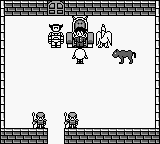
Pachio-kun is a platforming game released exclusively in Japan for the Game Boy in the early 1990s. Developed by a lesser-known studio, this title falls within the platform genre, a popular category during the handheld console's era. While not as widely recognized as major franchises, it still holds a niche appeal for fans of vintage gaming and those interested in Japanese-only titles.
In Pachio-kun, players navigate through various levels, overcoming obstacles and enemies while collecting items. The mechanics are typical of the platform genre, emphasizing precise jumps and timing to progress through stages. Players will encounter different environments, each with its own set of challenges. Although the game is in Japanese, the gameplay loop is straightforward, allowing players to intuitively grasp how to advance.
This title may not be a household name, but it offers a charming slice of retro platforming for those who enjoy exploring lesser-known gems. Its simplicity and nostalgic aesthetic make it a worthwhile experience for collectors and enthusiasts. If you're diving into the world of Game Boy, Pachio-kun adds a unique flavor to your library, especially if you appreciate the quirks of Japanese releases from that era.
GAME INFO
- Platform
- Game Boy
- Genre
- Platformer
- Players
- 1
- Region
- Japan
How to play Pachio-kun online
Getting Started: To begin playing Pachio-kun, start by selecting the game from your emulator or console. As a Japanese title, you'll notice that the menus and prompts are in Japanese, but the basic controls are intuitive enough to navigate. Familiarize yourself with the control scheme to enhance your gameplay experience.
Once in-game, your primary objective is to traverse levels while avoiding enemies and collecting items. The core loop involves jumping over obstacles and timing your movements to succeed. Pay attention to the layout of each level, as they often require strategic jumping and maneuvering to progress effectively. The simplicity of the mechanics makes it accessible, even for new players.
CONTROLS
Controls
- Arrow Keys — D-Pad / Movement
- X — A button (jump / confirm)
- S — B button (run / attack / cancel)
- Enter — Start / Pause
- V — Select
Pachio-kun FAQ
Roughly how long does it take to finish Pachio-kun?
The time it takes to finish Pachio-kun can vary significantly based on player skill and familiarity with platformers. Typically, it may take a few hours to complete the game if you're navigating the levels without extensive retries.
In what year was Pachio-kun originally released?
The exact release year for Pachio-kun is not widely documented, but it is known to have been released during the early 1990s. This places it within the timeframe of many classic Game Boy titles.
Is Pachio-kun exclusive to Game Boy or did it appear on other systems?
Pachio-kun is primarily known as a Game Boy exclusive, and there are no widely recognized ports or releases on other systems. Its availability is limited to the Game Boy platform.
You may also like
All Game Boy games











GAME INFO
- Platform
- Game Boy
- Genre
- Platformer
- Players
- 1
- Region
- Japan
COMMENTS (0)
No comments yet. Be the first to share your thoughts.