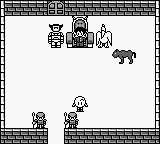
The game loads when you press Play · press “Play Now” inside the game if it asks.
Pachio-kun - Game Gallery (Japan)
Pachio-kun - Game Gallery
Getting to Know Pachio-kun - Game Gallery
GAME INFO
How to play Pachio-kun - Game Gallery online
To get started with Pachio-kun, first familiarize yourself with the controls using the emulator. Once you're ready, select a mini-game from the main menu, which is presented in Japanese. If you’re unsure about navigating the menus, look for options that resemble the layout seen in similar puzzle games of the era.
The core loop involves playing through various mini-games, each with unique mechanics. Understanding the objectives of each game is crucial, as they often require quick reflexes and precise actions. Pay attention to the instructions provided at the beginning of each mini-game to grasp what is expected. Over time, you will improve your skills and possibly unlock additional content, depending on your performance.
CONTROLS
Controls
- Arrow Keys — D-Pad / Movement
- X — A button (jump / confirm)
- S — B button (run / attack / cancel)
- Enter — Start / Pause
- V — Select
Pachio-kun - Game Gallery FAQ
Who developed Pachio-kun - Game Gallery?
The developer of Pachio-kun - Game Gallery is not widely documented, making it difficult to attribute the game to a specific studio.
Is there anything iconic or memorable about Pachio-kun - Game Gallery?
The game is notable for its collection of mini-games, which were a popular format for many titles on the Game Boy, but it does not have any widely recognized iconic elements.
What makes Pachio-kun - Game Gallery stand out among Game Boy titles of its era?
Pachio-kun offers a unique experience with its focus on mini-games, which differentiates it from traditional platformers and adventure games popular at the time. Its simplicity and charm appeal to those looking for a nostalgic glimpse into handheld gaming.












COMMENTS (0)
No comments yet. Be the first to share your thoughts.