The game loads when you press Play · press “Play Now” inside the game if it asks.
Mr Nutz (Europe)
Mr Nutz
About Mr Nutz
- Game Boy
- Platformer
- 5· 0 votes
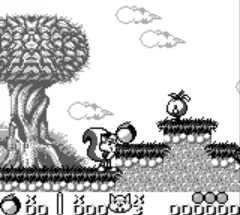
Mr Nutz is a platformer game that was released for the Game Boy in Europe. Developed by the French studio, Bit Managers, this title is notable for its colorful graphics and engaging gameplay that captures the essence of early 90s platforming. It was part of a wave of similar titles that sought to bring vibrant characters and challenging levels to handheld devices during this era.
In Mr Nutz, players take on the role of a nimble character navigating through various themed levels filled with enemies and obstacles. The core mechanics revolve around jumping and running, with players tasked to defeat enemies and collect items along the way. Each level presents unique challenges, and the gameplay is designed to encourage exploration and skillful maneuvering as players work their way through the stages.
This game holds a special place in the library of Game Boy titles, particularly for those who enjoy platformers from the 8-bit era. While it may not be as widely recognized as some contemporaries, Mr Nutz offers a nostalgic experience for fans of the genre, showcasing solid design and enjoyable gameplay. It's worth trying for anyone looking to explore lesser-known gems from the Game Boy's extensive catalog.
GAME INFO
- Platform
- Game Boy
- Genre
- Platformer
- Released
- 1994
- Players
- 1
- Region
- Europe
How to play Mr Nutz online
Getting started with Mr Nutz is straightforward. Begin by selecting the game from the main menu using the A button, and you will be thrust into the first level. Your main objective is to navigate through each level, avoiding or defeating enemies while collecting items that will help you progress.
The core loop involves running, jumping, and timing your attacks effectively. Players should familiarize themselves with the controls to master the jumps and movements required to navigate the platforming sections. As you advance through the levels, you'll encounter various obstacles and enemies, so keep an eye out for power-ups that can assist you on your journey.
CONTROLS
Controls
- Arrow Keys — D-Pad / Movement
- X — A button (jump / confirm)
- S — B button (run / attack / cancel)
- Enter — Start / Pause
- V — Select
Mr Nutz FAQ
Who developed Mr Nutz?
Bit Managers is the development studio behind Mr Nutz, known for creating a variety of games during the 90s.
Does Mr Nutz have a multiplayer or co-op mode?
There is no multiplayer or co-op mode in Mr Nutz; it is designed as a single-player platforming experience.
Is there anything iconic or memorable about Mr Nutz?
The game is remembered for its colorful graphics and engaging gameplay typical of early 90s platformers, though it may not be as iconic as other titles of its time.
You may also like
All Game Boy games











GAME INFO
- Platform
- Game Boy
- Genre
- Platformer
- Released
- 1994
- Players
- 1
- Region
- Europe
COMMENTS (0)
No comments yet. Be the first to share your thoughts.