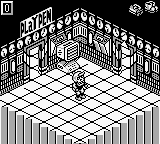
The game loads when you press Play · press “Play Now” inside the game if it asks.
Monster Max (Europe) (En,Fr,De,Es,It,Nl)
Monster Max
Monster Max Overview
- Game Boy
- Platformer
- 5· 0 votes
GAME INFO
- Platform
- Game Boy
- Genre
- Platformer
- Publisher
- Titus Interactive
- Developer
- Rare Ltd.
- Released
- 1994
- Players
- 1
- Region
- Europe
How to play Monster Max online
CONTROLS
Controls
- Arrow Keys — D-Pad / Movement
- X — A button (jump / confirm)
- S — B button (run / attack / cancel)
- Enter — Start / Pause
- V — Select
Monster Max FAQ
What makes Monster Max stand out among Game Boy titles of its era?
The game features a unique blend of platforming and puzzle-solving elements, which was somewhat less common on the Game Boy during its time. Its multi-language support also makes it accessible to a wider audience, enhancing its appeal among players in Europe.
Is Monster Max considered easy to pick up or challenging?
While the controls are straightforward, the game offers a fair level of challenge as players progress through the levels. Some sections may require precise timing and strategic thinking, making it engaging for both newcomers and seasoned players.
Is Monster Max exclusive to Game Boy or did it appear on other systems?
Monster Max was released exclusively for the Game Boy and is not known to have appeared on any other systems. This exclusivity adds to its charm for collectors and fans of the handheld's library.
You may also like
All Game Boy games











GAME INFO
- Platform
- Game Boy
- Genre
- Platformer
- Publisher
- Titus Interactive
- Developer
- Rare Ltd.
- Released
- 1994
- Players
- 1
- Region
- Europe
COMMENTS (0)
No comments yet. Be the first to share your thoughts.