The game loads when you press Play · press “Play Now” inside the game if it asks.
Moguranya (Japan)
Moguranya
Inside Moguranya
Moguranya is a unique title for the Game Boy that was released in Japan. This game falls under the puzzle genre and is recognized for its colorful graphics and engaging gameplay. Developed by a lesser-known studio, it showcases the charm of early handheld gaming from the late 1990s, a period when many developers were experimenting with innovative ideas on portable platforms.
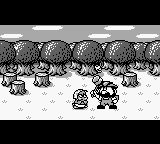
In Moguranya, players take on the role of a mole-like creature, navigating through various stages filled with obstacles and challenges. The gameplay revolves around digging tunnels and avoiding enemies, which is a classic mechanic found in many puzzle games of the era. The controls are simple, allowing players to quickly grasp the mechanics while providing enough depth to keep the experience enjoyable.
This title is worth exploring today for its nostalgic appeal and its representation of the puzzle genre on the Game Boy. While it may not have the same level of recognition as some of its contemporaries, Moguranya offers a fun and engaging experience that can be appreciated by both seasoned gamers and newcomers alike. It provides a glimpse into the creativity of the time and is a nice addition for anyone looking to expand their retro gaming collection.
GAME INFO
How to play Moguranya online
Getting Started: To begin playing Moguranya, start by selecting the game from your emulator's menu. Once in the game, familiarize yourself with the controls and the layout of the first level. The objective is to navigate through the stages, avoiding enemies while digging through the terrain.
The core gameplay loop involves strategically digging tunnels to maneuver around enemies and reach the goals. Pay attention to your surroundings as you dig, since some paths may lead to hazards. As this title is in Japanese, you might encounter menus in the language, but the gameplay itself is intuitive enough for players to pick up without needing extensive knowledge of Japanese.
CONTROLS
Controls
- Arrow Keys — D-Pad / Movement
- X — A button (jump / confirm)
- S — B button (run / attack / cancel)
- Enter — Start / Pause
- V — Select
Moguranya FAQ
Who developed Moguranya?
The developer of Moguranya is not widely documented, making it difficult to attribute the game to a specific studio or team.
Is there anything iconic or memorable about Moguranya?
Moguranya is remembered for its simple yet engaging puzzle mechanics and charming graphics that represent the handheld gaming experience of its era.
What makes Moguranya stand out among Game Boy titles of its era?
While it may not be as famous as other Game Boy titles, Moguranya offers a unique puzzle experience that showcases the creativity of game design during the late 1990s.












COMMENTS (0)
No comments yet. Be the first to share your thoughts.