The game loads when you press Play · press “Play Now” inside the game if it asks.
Mickey Mouse II (Japan)
Mickey Mouse II
Mickey Mouse II: GB Platformer
- Game Boy
- Platformer
- 5· 0 votes
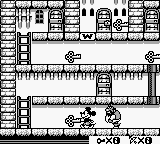
Mickey Mouse II (Japan) is a platform game released for the Game Boy. This title, developed in Japan, is part of a series that features the beloved Disney character Mickey Mouse. While the exact developer details are not widely documented, the game fits well within the classic era of handheld gaming, characterized by its pixel art and straightforward mechanics.
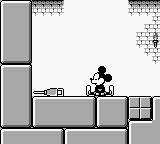
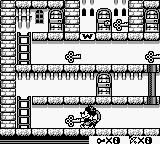
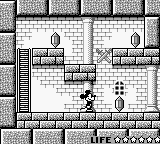
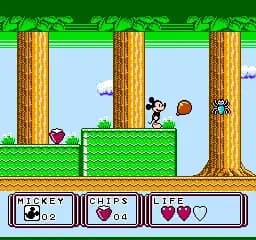
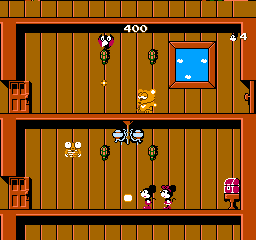
In this game, players control Mickey Mouse as he navigates through various levels filled with enemies and obstacles. The gameplay involves running, jumping, and attacking foes, which is typical for platformers of the time. Players will encounter different environments and challenges, requiring them to utilize their skills to progress through the game.
Despite being a Japan-only release, Mickey Mouse II is a charming example of early portable gaming. It may not be as celebrated as other titles in the Disney franchise, but it offers a nostalgic experience for fans of platformers. Those who appreciate retro games will find it an interesting addition to their collection, even if it remains more niche compared to more iconic titles from the era.
GAME INFO
- Platform
- Game Boy
- Genre
- Platformer
- Publisher
- Kemco
- Developer
- Kemco
- Released
- 1991
- Players
- 1
- Region
- Japan
More Mickey Mouse Games
Ready for another round? Explore more Mickey Mouse games and console editions. Choose a game below to play it on its own page.
How to play Mickey Mouse II online
Getting Started: To start playing Mickey Mouse II, first select the game from your emulator or console. As this title is Japanese-only, players will need to familiarize themselves with the menu options, which are entirely in Japanese. Look for the first option to begin your adventure.
The core gameplay loop involves navigating through levels, defeating enemies, and collecting items. Each level presents different challenges that require jumping and running skills. Pay attention to the unique mechanics that may be present in this title, such as specific power-ups or environmental interactions, as they can greatly impact your progress. Remember to practice your timing and movements to overcome obstacles effectively.
CONTROLS
Controls
- Arrow Keys — D-Pad / Movement
- X — A button (jump / confirm)
- S — B button (run / attack / cancel)
- Enter — Start / Pause
- V — Select
Mickey Mouse II FAQ
Who developed Mickey Mouse II?
The developer of Mickey Mouse II is not widely documented, making it difficult to provide a specific name.
In what year was Mickey Mouse II originally released?
The original release year of Mickey Mouse II is not widely documented, and specific details about its launch are scarce.
Can players save progress in Mickey Mouse II?
The game does not include a save feature, so players will need to complete levels in one sitting without the ability to save their progress.
You may also like
All Game Boy games











GAME INFO
- Platform
- Game Boy
- Genre
- Platformer
- Publisher
- Kemco
- Developer
- Kemco
- Released
- 1991
- Players
- 1
- Region
- Japan
COMMENTS (0)
No comments yet. Be the first to share your thoughts.