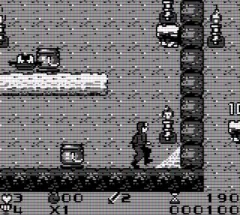
The game loads when you press Play · press “Play Now” inside the game if it asks.
Kanzume Monsters (Japan)
Kanzume Monsters
Kanzume Monsters - Puzzle Classic
GAME INFO
How to play Kanzume Monsters online
To get started with Kanzume Monsters, boot up the game and navigate the main menu, which is in Japanese. The initial screen will present options for starting a new game or continuing an existing one. Once you select a new game, you will be introduced to the world of monster capturing and battling.
As you play, the core loop involves exploring different areas to capture monsters, solving puzzles related to monster placement, and engaging in battles with other trainers. Pay attention to your monster's abilities and the environment as you progress. Since the menus are in Japanese, familiarize yourself with the symbols and options to make navigation smoother.
CONTROLS
Controls
- Arrow Keys — D-Pad / Movement
- X — A button (jump / confirm)
- S — B button (run / attack / cancel)
- Enter — Start / Pause
- V — Select
Kanzume Monsters FAQ
What makes Kanzume Monsters stand out among Game Boy titles of its era?
The game combines puzzle-solving with monster collection, which was a unique approach during the Game Boy's lifespan. Its charming graphics and engaging mechanics offer a different flavor compared to more mainstream titles.
Is Kanzume Monsters exclusive to Game Boy or did it appear on other systems?
Kanzume Monsters was released exclusively for the Game Boy and did not see ports to other systems. This exclusivity contributes to its niche appeal among collectors and retro enthusiasts.
Who developed Kanzume Monsters?
The game was developed by Konami, a well-known name in the gaming industry responsible for numerous classic titles. Their involvement adds a layer of credibility to the game's quality and design.












COMMENTS (0)
No comments yet. Be the first to share your thoughts.