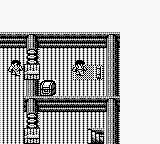
The game loads when you press Play · press “Play Now” inside the game if it asks.
Jungle Wars (Japan)
Jungle Wars
Jungle Wars Overview
Jungle Wars is a strategy game released exclusively in Japan for the Game Boy. Developed by the team at Taito, it came out during the early 1990s, a period when portable gaming was gaining traction. The game features a blend of tactical gameplay wrapped in a colorful jungle theme, which was quite characteristic of the era's arcade-inspired titles.
In Jungle Wars, players engage in turn-based strategy, commanding units on a grid-based map. The core objective revolves around defeating enemy forces while managing resources effectively. Players must navigate through various terrain types, each offering its own strategic advantages and challenges. The game encourages thoughtful planning, as each move can significantly impact the outcome of battles.
For retro gaming enthusiasts, Jungle Wars holds a certain charm, particularly for those who appreciate strategy games from the early handheld era. While it might not be as well-known as contemporaries like Advance Wars, it offers a unique experience that showcases the strategic depth possible on the Game Boy. This title is worth a try for those looking to explore lesser-known gems from the platform's library, especially if you enjoy tactical gameplay with a vintage flair.
GAME INFO
More Jungle Wars Games
Ready for another round? Explore more Jungle Wars games and console editions. Choose a game below to play it on its own page.
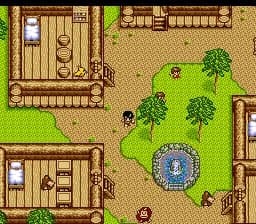
How to play Jungle Wars online
Getting started with Jungle Wars involves selecting your starting unit and familiarizing yourself with the map layout. Each turn allows you to move your units strategically, positioning them for optimal combat against enemy forces. Pay attention to the terrain, as different types can provide advantages or disadvantages in battle.
As you play, you'll need to manage your resources and make tactical decisions to outmaneuver your opponents. The game is menu-driven, and since it's a Japanese title, some menus may be in Japanese. However, basic navigation should be intuitive enough for players to grasp the core mechanics without too much difficulty.
CONTROLS
Controls
- Arrow Keys — D-Pad / Movement
- X — A button (jump / confirm)
- S — B button (run / attack / cancel)
- Enter — Start / Pause
- V — Select
Jungle Wars FAQ
Is Jungle Wars considered easy to pick up or challenging?
The game is generally seen as having a moderate learning curve. New players may need some time to grasp the strategic elements but can quickly find enjoyment in its mechanics.
Is Jungle Wars exclusive to Game Boy or did it appear on other systems?
Jungle Wars was released exclusively for the Game Boy in Japan. There are no known ports or versions available on other systems.
Does Jungle Wars have a multiplayer or co-op mode?
The game does not feature a multiplayer or co-op mode; it is designed strictly for single-player gameplay. Players will engage with the AI as they progress through the game.












COMMENTS (0)
No comments yet. Be the first to share your thoughts.