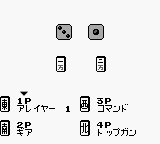
The game loads when you press Play · press “Play Now” inside the game if it asks.
Janshirou (Japan)
Janshirou
Janshirou: GB Action
GAME INFO
More Janshirou Games
Ready for another round? Explore more Janshirou games and console editions. Choose a game below to play it on its own page.
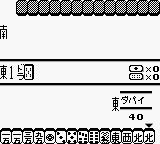
How to play Janshirou online
To get started with Janshirou, begin by familiarizing yourself with the controls. Once you have a grasp on the button layout, press Start to enter the game. The opening menus will be in Japanese, so look for options that translate to 'Start Game' to begin your adventure.
The core gameplay loop involves navigating through levels, fighting enemies, and overcoming challenges. As you progress, focus on mastering the timing of your attacks and jumps. While the game may present some language barriers, the basic mechanics are intuitive for action game enthusiasts, making it accessible despite its Japanese origins.
CONTROLS
Controls
- Arrow Keys — D-Pad / Movement
- X — A button (jump / confirm)
- S — B button (run / attack / cancel)
- Enter — Start / Pause
- V — Select
Janshirou FAQ
Is Janshirou considered easy to pick up or challenging?
The game may have a learning curve, especially for those unfamiliar with Japanese titles. However, its action-oriented gameplay provides a straightforward experience once players understand the mechanics.
Which regions was Janshirou released in?
Janshirou was released exclusively in Japan, making it a title that is less recognized in other regions. This limited release contributes to its niche status among retro gaming enthusiasts.
In what year was Janshirou originally released?
The original release year for Janshirou is not widely documented, leaving some uncertainty around its exact launch date. However, it is known to be part of the Game Boy's library from the early 1990s.












COMMENTS (0)
No comments yet. Be the first to share your thoughts.