The game loads when you press Play · press “Play Now” inside the game if it asks.
Hatris (Japan, USA)
Hatris
Hatris on GB
GAME INFO
- Platform
- Game Boy
- Genre
- Puzzle
- Publisher
- Bullet-Proof Software
- Developer
- Bullet-Proof Software
- Released
- 1990
- Players
- 1
- Region
- Japan, USA
How to play Hatris online
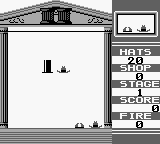
Getting started in Hatris involves selecting your game mode from the main menu, which is in Japanese. After that, the gameplay centers around managing a continuous stream of hats falling from the top of the screen. Your goal is to stack them into complete rows, similar to other classic puzzle games, allowing them to clear and score points.
The core loop consists of placing hats strategically to form rows while keeping an eye on the speed at which they fall. New players should focus on maintaining enough space on the screen to avoid being overwhelmed. As the game progresses, the speed increases, adding to the challenge, so developing a strategy for placement is key to achieving high scores.
CONTROLS
Controls
- Arrow Keys — D-Pad / Movement
- X — A button (jump / confirm)
- S — B button (run / attack / cancel)
- Enter — Start / Pause
- V — Select
Hatris FAQ
Who developed Hatris?
The developer of Hatris is not widely documented, but it is associated with the Hatris franchise known for its unique puzzle gameplay.
What makes Hatris stand out among Game Boy titles of its era?
Hatris offers a distinctive twist on the typical puzzle genre by focusing on stacking hats, differentiating it from other block-stacking games. Its engaging and addictive gameplay keeps players coming back for more despite its niche appeal.
Roughly how long does it take to finish Hatris?
The game does not have a definitive finish point as it is designed for high-score chasing. Players can enjoy Hatris for varying lengths of time, depending on their skill level and dedication to improving their scores.
You may also like
All Game Boy games











GAME INFO
- Platform
- Game Boy
- Genre
- Puzzle
- Publisher
- Bullet-Proof Software
- Developer
- Bullet-Proof Software
- Released
- 1990
- Players
- 1
- Region
- Japan, USA
COMMENTS (0)
No comments yet. Be the first to share your thoughts.