CHOOSE A VERSION
2 versions · same consoleChoose an original release, regional version, revision, bootleg or clearly labelled ROM hack/mod, then press Play. Hacks may change the gameplay. Switching versions restarts the player.
Selected: Default · Japan · Japan
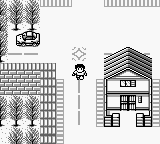
The game loads when you press Play · press “Play Now” inside the game if it asks.
God Medicine - Hukkoku Ban (Japan)
God Medicine - Hukkoku Ban
God Medicine - Hukkoku Ban - Action Classic
God Medicine - Hukkoku Ban is a Japanese title that was released for the Game Boy. As a niche game within the action genre, it is not widely known outside of dedicated retro gaming circles. The game is primarily recognized for its unique mechanics and cultural context, but detailed information about its development team remains scarce.
In God Medicine - Hukkoku Ban, players engage in gameplay that involves navigating various challenges and obstacles. The mechanics are reflective of the era's action titles, focusing on fast-paced interactions and strategic use of items. However, specifics about the characters or storyline are not well-documented, leaving players to discover the gameplay dynamics through exploration and experimentation.
This title is worth trying for those interested in the lesser-known gems of the Game Boy library. While it may not compete with more prominent titles, its unique charm and the experience of playing a game that never made it outside Japan can be appealing for collectors and retro enthusiasts. It serves as a reminder of the diverse gaming landscape during the handheld era, showcasing what developers were creating beyond the mainstream hits.
GAME INFO
How to play God Medicine - Hukkoku Ban online
Getting started in God Medicine - Hukkoku Ban requires navigating the initial menus, which are entirely in Japanese. After selecting your start option, players will find themselves in a world filled with various challenges. The core loop typically involves exploring levels, overcoming obstacles, and collecting items that enhance gameplay.
Understanding the basic mechanics is essential for success. Players should focus on mastering the controls and getting accustomed to the game’s pacing. As you progress, pay attention to the items you collect, as they may be crucial for overcoming tougher challenges later in the game.
CONTROLS
Controls
- Arrow Keys — D-Pad / Movement
- X — A button (jump / confirm)
- S — B button (run / attack / cancel)
- Enter — Start / Pause
- V — Select
God Medicine - Hukkoku Ban FAQ
Is God Medicine - Hukkoku Ban exclusive to Game Boy or did it appear on other systems?
The game appears to be exclusive to the Game Boy, with no known ports or releases on other systems.
Does God Medicine - Hukkoku Ban have a multiplayer or co-op mode?
There is no multiplayer or co-op mode available in this title, as it is designed as a single-player experience.
Is there anything iconic or memorable about God Medicine - Hukkoku Ban?
The game is notable for its unique mechanics and cultural context, making it a curiosity for collectors and retro enthusiasts, though it lacks widespread recognition.












COMMENTS (0)
No comments yet. Be the first to share your thoughts.