CHOOSE A VERSION
2 versions · same consoleChoose an original release, regional version, revision, bootleg or clearly labelled ROM hack/mod, then press Play. Hacks may change the gameplay. Switching versions restarts the player.
Selected: Default · USA · USA
The game loads when you press Play · press “Play Now” inside the game if it asks.
Go! Go! Tank (USA)
Go! Go! Tank
Getting to Know Go! Go! Tank
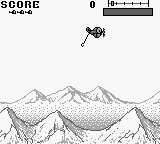
Go! Go! Tank (USA) is a lesser-known title for the Game Boy, released during the handheld's prime in the early 1990s. This game falls into the action genre, where players control a tank navigating through various levels. While details about its development are not widely documented, it showcases the charm and simplicity characteristic of many Game Boy titles from this era.
In Go! Go! Tank, players maneuver their tank across different terrains while engaging in combat against enemy units. The gameplay revolves around strategic movement and shooting, with players needing to avoid obstacles and defeat enemies to progress through each level. The controls are straightforward, allowing players to focus on the action and tactics rather than complex mechanics, which is typical for many action games on the platform.
Despite its niche status, Go! Go! Tank offers a nostalgic experience for fans of retro gaming. Its straightforward gameplay and accessible controls make it a good entry point for those new to action games on the Game Boy. While it may not compete with more popular titles, it holds a place in the hearts of collectors and enthusiasts who appreciate the simplicity and charm of early handheld gaming.
GAME INFO
- Platform
- Game Boy
- Genre
- Action
- Publisher
- Electro Brain
- Released
- 1990
- Players
- 1
- Region
- USA
How to play Go! Go! Tank online
To start playing Go! Go! Tank, use the controls to navigate your tank through the initial levels. Your primary objective is to defeat enemies and reach the end of each stage. Pay attention to your surroundings, as there will be obstacles and enemy tanks that require strategic movement to avoid.
As you progress, you'll find that the core loop involves shooting enemies while managing your tank's position. Keep an eye on your health and ammunition, as these elements are crucial for survival. Experiment with different strategies to find the best way to advance through the game, and enjoy the retro aesthetic as you play through the levels.
CONTROLS
Controls
- Arrow Keys — D-Pad / Movement
- X — A button (jump / confirm)
- S — B button (run / attack / cancel)
- Enter — Start / Pause
- V — Select
Go! Go! Tank FAQ
Does Go! Go! Tank have a multiplayer or co-op mode?
No, Go! Go! Tank is a single-player experience, focusing on individual gameplay without any multiplayer or co-op options.
Is Go! Go! Tank exclusive to Game Boy or did it appear on other systems?
The game is primarily known as a Game Boy title, and there is no widely documented evidence of it being available on other systems.
What makes Go! Go! Tank stand out among Game Boy titles of its era?
Its simplistic gameplay and nostalgic graphics make it a unique find among Game Boy titles, appealing to enthusiasts of retro gaming despite its niche status.
You may also like
All Game Boy games











GAME INFO
- Platform
- Game Boy
- Genre
- Action
- Publisher
- Electro Brain
- Released
- 1990
- Players
- 1
- Region
- USA
COMMENTS (0)
No comments yet. Be the first to share your thoughts.