The game loads when you press Play · press “Play Now” inside the game if it asks.
Gen 6 Typing
Gen 6 Typing
Gen 6 Typing on GB
- Game Boy
- Educational
- Unknown
- 5· 0 votes
Gen 6 Typing is an educational title for the Game Boy that focuses on enhancing typing skills through engaging gameplay. Released in Japan, this game is part of a genre that combines learning with entertainment, catering to players looking to improve their typing speed and accuracy. While information on the developer and publisher is sparse, this title fits within the era of educational games that sought to leverage gaming technology for skill development.
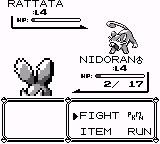
In Gen 6 Typing, players engage in various typing challenges that test their ability to quickly and accurately input words on the Game Boy's limited keyboard. The gameplay is structured around timed sessions where players must type prompts as they appear on screen, with the goal of achieving high scores. The game encourages repetition and practice, making it a suitable choice for those interested in improving their typing abilities while playing a retro game.
This title is worth exploring for anyone interested in the educational genre or those who appreciate the unique quirks of Game Boy software. While it may not have the same level of recognition as more mainstream titles, Gen 6 Typing offers a nostalgic glimpse into the ways games were used to teach skills in the past. Its simplicity and focus on typing mechanics provide a different kind of challenge compared to the action-oriented titles of its time, making it a niche but interesting addition to any retro gaming library.
GAME INFO
- Platform
- Game Boy
- Genre
- Educational
- Players
- 1
- Region
- Japan
How to play Gen 6 Typing online
Getting started with Gen 6 Typing involves first navigating through the initial menus, which may be in Japanese. Players should familiarize themselves with the layout and options available. Once ready, the core gameplay will present various typing challenges that players can engage with to practice their skills.
The core loop revolves around typing prompts that appear on the screen. Players will need to respond quickly to these prompts to score points. The game is designed to encourage practice, so players may find themselves repeating certain challenges to improve their scores and typing speed. Understanding the mechanics of the prompts and how they relate to scoring will help new players get the most out of their experience.
CONTROLS
Controls
- Arrow Keys — D-Pad / Movement
- X — A button (jump / confirm)
- S — B button (run / attack / cancel)
- Enter — Start / Pause
- V — Select
Gen 6 Typing FAQ
Does Gen 6 Typing have a multiplayer or co-op mode?
There is no known multiplayer or co-op mode available in Gen 6 Typing, as the game is primarily designed for single-player typing practice.
What makes Gen 6 Typing stand out among Game Boy titles of its era?
This title is unique for its focus on educational gameplay, specifically enhancing typing skills, which was less common among the action-oriented games of the time. It provides a different experience compared to typical Game Boy titles by blending learning with gaming.
Who developed Gen 6 Typing?
The specific developer of Gen 6 Typing is not widely documented, making it difficult to attribute the game to a particular studio or team.
You may also like
All Game Boy games











GAME INFO
- Platform
- Game Boy
- Genre
- Educational
- Players
- 1
- Region
- Japan
COMMENTS (0)
No comments yet. Be the first to share your thoughts.