The game loads when you press Play · press “Play Now” inside the game if it asks.
Gem Gem (Japan)
Gem Gem
Gem Gem Overview
Gem Gem (Japan) is a Game Boy title that falls within the puzzle genre. Released exclusively in Japan, this game has a niche appeal among collectors and enthusiasts. While specific details about the developer and publisher are not widely documented, it represents a unique entry in the Game Boy's library, showcasing the platform's capacity for innovative puzzle mechanics.
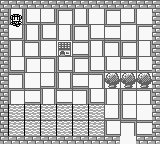
In Gem Gem, players engage with a grid-based gameplay mechanic that challenges their problem-solving skills. The objective revolves around matching gems and clearing the board as efficiently as possible. While the specifics of the gameplay mechanics may not be extensively detailed, the core loop likely involves strategic placements and quick thinking, typical of the puzzle genre during the Game Boy era.
This title is worth trying today primarily for its retro charm and puzzle-solving appeal. It fits well alongside other classic puzzle games of its time, offering a straightforward yet engaging experience. For those who appreciate the simplicity and challenge of older games, Gem Gem serves as a nice reminder of the era's design philosophies, even if it might not be as well-known as some of its contemporaries.
GAME INFO
How to play Gem Gem online
Getting started in Gem Gem requires navigating through the Japanese menus, which may pose a challenge for non-Japanese speakers. Players typically begin by selecting a game mode and then diving into the puzzle challenges. The primary gameplay loop involves matching gems on a grid, focusing on clearing them strategically to progress.
As you play, pay attention to the patterns and how gems interact with one another. Understanding the mechanics of how gems can be matched and cleared will be crucial in advancing through the levels. The game’s simple yet effective design encourages players to think critically and act quickly, creating an engaging experience that reflects the puzzle genre's essence.
CONTROLS
Controls
- Arrow Keys — D-Pad / Movement
- X — A button (jump / confirm)
- S — B button (run / attack / cancel)
- Enter — Start / Pause
- V — Select
Gem Gem FAQ
Which regions was Gem Gem released in?
The game was released exclusively in Japan, which limits its availability for non-Japanese players.
What makes Gem Gem stand out among Game Boy titles of its era?
Its unique grid-based puzzle mechanics provide a distinct challenge compared to action-oriented titles, appealing to fans of the puzzle genre.
Is Gem Gem exclusive to Game Boy or did it appear on other systems?
Gem Gem is primarily known as a Game Boy title, with no confirmed releases on other systems.












COMMENTS (0)
No comments yet. Be the first to share your thoughts.