The game loads when you press Play · press “Play Now” inside the game if it asks.
Frisky Tom (Japan)
Frisky Tom
Frisky Tom - Platformer Classic
- Game Boy
- Platformer
- 5· 0 votes
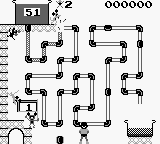
Frisky Tom is a Japanese Game Boy title, released in 1990. This platformer was developed by a lesser-known team, and it embodies the charm and simplicity characteristic of the early handheld gaming era. Players navigate through various levels, collecting items and avoiding enemies, which was a common theme in many games of that time.
In this game, players control the titular character, Frisky Tom, as he traverses colorful environments. The gameplay involves jumping and running to avoid hazards while collecting objects, which is a staple of platformers from this period. The mechanics are straightforward, making it accessible for newcomers, yet it also presents challenges that require timing and precision, typical of many titles in the genre.
Frisky Tom is worth exploring for fans of retro gaming, especially those who appreciate the platforming genre. While it may not be as well-known as other Game Boy classics, it offers a nostalgic experience that reflects the design philosophies of its time. Its simplicity can be appealing, and it serves as a reminder of the fun and innovative gameplay that defined early handheld gaming.
GAME INFO
- Platform
- Game Boy
- Genre
- Platformer
- Released
- 1990
- Players
- 1
- Region
- Japan
How to play Frisky Tom online
To get started with Frisky Tom, begin by familiarizing yourself with the controls, as they are essential for navigating the game efficiently. Once you start, your main objective will be to collect items while avoiding enemies. The levels are designed with obstacles that require jumping and running, so timing your actions is crucial for success.
As you progress, you'll find various items to collect, which can enhance your score or provide other benefits. Pay attention to the layout of each level, as knowing when to jump or run can make a significant difference in avoiding hazards. Keep in mind that the menus are in Japanese, so it might take a bit of exploration to understand options, but the gameplay itself is intuitive enough to pick up quickly.
CONTROLS
Controls
- Arrow Keys — D-Pad / Movement
- X — A button (jump / confirm)
- S — B button (run / attack / cancel)
- Enter — Start / Pause
- V — Select
Frisky Tom FAQ
Who developed Frisky Tom?
The developer of Frisky Tom is not widely documented, making it difficult to pinpoint the specific team behind the game.
What makes Frisky Tom stand out among Game Boy titles of its era?
Frisky Tom is notable for its simple yet engaging gameplay, reflecting the platforming conventions of the time. While not as famous as other titles, it offers a nostalgic experience for fans of early handheld gaming.
Is Frisky Tom exclusive to Game Boy or did it appear on other systems?
Frisky Tom appears to be exclusive to the Game Boy platform, with no known releases on other systems.
You may also like
All Game Boy games











GAME INFO
- Platform
- Game Boy
- Genre
- Platformer
- Released
- 1990
- Players
- 1
- Region
- Japan
COMMENTS (0)
No comments yet. Be the first to share your thoughts.