The game loads when you press Play · press “Play Now” inside the game if it asks.
Final Reverse (Japan)
Final Reverse
About Final Reverse
Final Reverse (Japan) is a unique title for the Game Boy, originally released in Japan. This game is notably a homebrew project, which means it was developed outside the traditional commercial framework. The platform itself was a popular handheld console during the late 80s and early 90s, known for its diverse library of games across various genres.
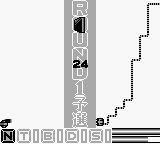
In Final Reverse, players navigate through various levels while engaging in action-oriented gameplay. The mechanics typically involve platforming elements, where players must jump, run, and avoid obstacles. While specific character details and story elements are not widely documented, the gameplay likely follows conventions established in similar titles of the era, focusing on skillful navigation and timing.
This title offers a glimpse into the creativity of homebrew developers during the Game Boy's lifespan. While it may not match the polish of commercial releases, it’s a testament to the passion within the retro gaming community. For those interested in exploring lesser-known titles, Final Reverse provides an interesting experience that contrasts with the mainstream offerings of its time.
GAME INFO
How to play Final Reverse online
Getting started in Final Reverse involves first familiarizing yourself with the controls mapped to your emulator. Once you're comfortable, you can begin by selecting the game and navigating through the menu, which is in Japanese. Don't worry too much about understanding every word, as the gameplay is intuitive and focuses on action rather than intricate storytelling.
As you start playing, the core loop revolves around navigating through levels, overcoming obstacles, and defeating enemies. Pay attention to your jumping and running mechanics, as timing is key to progressing. The game may present challenges typical of platformers, so practice will help you improve your skills as you advance through the stages.
CONTROLS
Controls
- Arrow Keys — D-Pad / Movement
- X — A button (jump / confirm)
- S — B button (run / attack / cancel)
- Enter — Start / Pause
- V — Select
Final Reverse FAQ
What makes Final Reverse stand out among Game Boy titles of its era?
This game is a homebrew title, showcasing the creativity and dedication of independent developers. It offers a unique experience compared to mainstream releases, featuring gameplay that reflects the passion of the retro gaming community.
What type of game is Final Reverse?
Final Reverse is primarily an action-oriented platformer, incorporating mechanics typical of the genre. Players must navigate levels filled with obstacles, requiring skillful jumping and timing to succeed.
Is Final Reverse exclusive to Game Boy or did it appear on other systems?
The game is specifically designed for the Game Boy platform and does not have documented releases on other systems. As a homebrew title, it remains a niche entry within the Game Boy library.












COMMENTS (0)
No comments yet. Be the first to share your thoughts.