CHOOSE A VERSION
2 versions · same consoleChoose an original release, regional version, revision, bootleg or clearly labelled ROM hack/mod, then press Play. Hacks may change the gameplay. Switching versions restarts the player.
Selected: Default · USA · USA
The game loads when you press Play · press “Play Now” inside the game if it asks.
Daedalian Opus (USA)
Daedalian Opus
Getting to Know Daedalian Opus
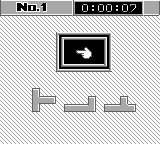
Daedalian Opus (USA) is a unique puzzle game released for the Game Boy. This title, while not widely documented, has garnered interest among retro gaming enthusiasts due to its intriguing mechanics. As a puzzle game, it fits into the genre conventions of its time, where players often faced challenges that required logical thinking and problem-solving skills.
In Daedalian Opus, players engage in a series of brain-teasing puzzles that require them to manipulate various elements within the game world. The mechanics revolve around solving these puzzles through a combination of exploration and item usage. Players must think critically about their actions and the environment to progress, which is a hallmark of many puzzle games from the era.
Today, Daedalian Opus is worth exploring for those who appreciate niche titles that challenge the mind. While it may not have the same recognition as blockbusters from the Game Boy era, it offers a distinctive experience that can appeal to fans of the genre. Compared to other puzzle games of its time, it provides a refreshing take that emphasizes thoughtfulness and strategy over action, making it a hidden gem in the Game Boy library.
GAME INFO
- Platform
- Game Boy
- Genre
- Puzzle
- Publisher
- Sun Corporation
- Developer
- Tokai Communications
- Released
- 1990
- Players
- 1
- Region
- USA
How to play Daedalian Opus online
Getting started in Daedalian Opus involves navigating through its various puzzles. Players should familiarize themselves with the controls to efficiently manipulate objects and interact with the environment. The core loop typically involves solving puzzles by using items or engaging with the game world in a way that reveals new paths or solutions.
As you progress, pay attention to the hints provided within the game. Understanding the mechanics is crucial, as they often build upon each other. While the game may not be heavily documented, the challenge it presents is rewarding for those who enjoy thinking outside the box.
CONTROLS
Controls
- Arrow Keys — D-Pad / Movement
- X — A button (jump / confirm)
- S — B button (run / attack / cancel)
- Enter — Start / Pause
- V — Select
Daedalian Opus FAQ
Who developed Daedalian Opus?
Information about the specific developer of Daedalian Opus is not widely documented.
Is Daedalian Opus exclusive to Game Boy or did it appear on other systems?
Daedalian Opus appears to be exclusive to the Game Boy platform, with no known releases on other systems.
Which regions was Daedalian Opus released in?
The game was released in the USA, but specific details about its availability in other regions are not well documented.
You may also like
All Game Boy games











GAME INFO
- Platform
- Game Boy
- Genre
- Puzzle
- Publisher
- Sun Corporation
- Developer
- Tokai Communications
- Released
- 1990
- Players
- 1
- Region
- USA
COMMENTS (0)
No comments yet. Be the first to share your thoughts.