The game loads when you press Play · press “Play Now” inside the game if it asks.
Chiki Chiki Tengoku (Japan)
Chiki Chiki Tengoku
Chiki Chiki Tengoku: GB Platformer
- Game Boy
- Platformer
- 5· 0 votes
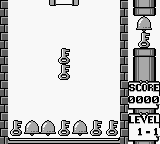
Chiki Chiki Tengoku is a platformer game released exclusively in Japan for the Game Boy. Developed by a lesser-known studio, the game came out during the early 1990s, a time when handheld gaming was becoming increasingly popular. As a title that remains relatively obscure, it showcases the unique charm and challenges of the Game Boy era, particularly within the platforming genre.
In Chiki Chiki Tengoku, players navigate through colorful levels filled with various obstacles and enemies. The core gameplay revolves around jumping, running, and attacking, typical of platformers from this period. Players must master the mechanics of timing and precision to overcome challenges and progress through the stages, collecting power-ups and avoiding hazards along the way.
This title is worth a look for those interested in the history of handheld gaming or for fans of retro platformers. While it may not compete with more famous titles of its time, it offers a nostalgic experience that can be appreciated by enthusiasts. Its unique design elements and gameplay mechanics provide a glimpse into the creative spirit of early Game Boy titles, making it a fun addition to any retro gaming collection.
GAME INFO
- Platform
- Game Boy
- Genre
- Platformer
- Players
- 1
- Region
- Japan
How to play Chiki Chiki Tengoku online
To get started in Chiki Chiki Tengoku, first familiarize yourself with the controls. The game begins with you selecting a mode from the main menu, which is presented in Japanese. While navigating the menus, look for options that indicate 'Start' to begin your adventure.
Once in-game, the core loop consists of traversing levels filled with enemies and obstacles. Your primary goal is to reach the end of each stage while collecting items and defeating foes. Timing your jumps and attacks is crucial, as the game rewards skillful navigation. Be aware that since this title is Japanese-only, understanding basic menu navigation will enhance your experience.
CONTROLS
Controls
- Arrow Keys — D-Pad / Movement
- X — A button (jump / confirm)
- S — B button (run / attack / cancel)
- Enter — Start / Pause
- V — Select
Chiki Chiki Tengoku FAQ
Who developed Chiki Chiki Tengoku?
The developer of Chiki Chiki Tengoku is not widely documented, making it difficult to ascertain specific details about the studio behind the game.
Is Chiki Chiki Tengoku exclusive to Game Boy or did it appear on other systems?
This game is exclusive to the Game Boy, with no known releases on other platforms.
Is there anything iconic or memorable about Chiki Chiki Tengoku?
The game is recognized for its vibrant graphics and engaging platforming mechanics, characteristic of early Game Boy titles, but it remains relatively niche in the gaming community.
You may also like
All Game Boy games











GAME INFO
- Platform
- Game Boy
- Genre
- Platformer
- Players
- 1
- Region
- Japan
COMMENTS (0)
No comments yet. Be the first to share your thoughts.