The game loads when you press Play · press “Play Now” inside the game if it asks.
Centipede (USA, Europe)
Centipede
Inside Centipede
GAME INFO
How to play Centipede online
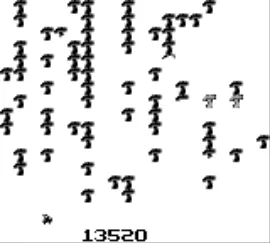
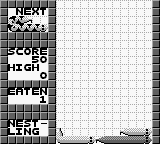
To start playing Centipede, begin by selecting the game from your emulator or console menu. Once the game loads, you will be taken to the main screen where you can start a new game. Your primary objective is to shoot down the centipedes and other enemies while avoiding their attacks.
The core gameplay loop involves moving your shooter left and right while firing at the descending centipedes. As you shoot, be mindful of the other enemies that appear, as they can complicate your efforts to focus on the centipedes. Power-ups can occasionally drop, offering temporary advantages, so keep an eye out for those as you play. Mastering the controls and understanding enemy patterns will greatly enhance your chances of achieving a high score.
CONTROLS
Controls
- Arrow Keys — D-Pad / Movement
- X — A button (jump / confirm)
- S — B button (run / attack / cancel)
- Enter — Start / Pause
- V — Select
Centipede FAQ
Does Centipede have a multiplayer or co-op mode?
There is no multiplayer or co-op mode in Centipede on the Game Boy. The game is designed for single-player action, focusing on individual scores rather than cooperative gameplay.
Is Centipede an official release, a fan hack, a prototype, or another kind of build?
Centipede on Game Boy is an official release by Atari, bringing the classic arcade experience to the handheld platform. It is not a fan hack or prototype but a legitimate port of the arcade game.
Is Centipede exclusive to Game Boy or did it appear on other systems?
Centipede has appeared on various systems beyond the Game Boy, including arcade machines and home consoles. The Game Boy version is one of many adaptations of this iconic title.

COMMENTS (0)
No comments yet. Be the first to share your thoughts.