CHOOSE A VERSION
2 versions · same consoleChoose an original release, regional version, revision, bootleg or clearly labelled ROM hack/mod, then press Play. Hacks may change the gameplay. Switching versions restarts the player.
Selected: Default · USA · USA
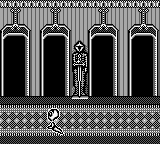
The game loads when you press Play · press “Play Now” inside the game if it asks.
Casper (USA)
Casper
Getting to Know Casper
- Game Boy
- Platformer
- 5· 0 votes
Casper (USA) is a platform game for the Game Boy that was released in the late 1990s. Based on the beloved animated character Casper the Friendly Ghost, the game was developed by a team known for creating engaging titles tailored for younger audiences. As a licensed title, it draws from the charm of the Casper franchise, providing a playful experience on a portable platform.
In Casper, players take on the role of the friendly ghost, navigating through various levels filled with obstacles and puzzles. The gameplay mechanics involve jumping, running, and interacting with objects to progress through the stages. Players will encounter different challenges that require quick reflexes and strategic thinking to overcome, making it a typical yet enjoyable platformer of its time.
This game holds a certain nostalgic value for fans of retro gaming, especially those who enjoyed platformers from the late 90s. While it may not be as widely recognized as other titles from that era, its connection to the Casper character and simple yet engaging gameplay make it worth a try. For those looking to explore lesser-known gems from the Game Boy library, Casper provides a charming experience that captures the essence of its source material.
GAME INFO
- Platform
- Game Boy
- Genre
- Platformer
- Publisher
- Winning Entertainment Group
- Developer
- Imagineering
- Released
- 1997
- Players
- 1
- Region
- USA
How to play Casper online
Getting started in Casper involves selecting your game mode and jumping right into the first level. The core gameplay loop revolves around navigating through platforming challenges, collecting items, and avoiding enemies. As you progress, you'll have to adapt to different level designs and utilize Casper's abilities to solve puzzles and defeat foes.
It's important to familiarize yourself with the controls early on, as timing and precision are key to overcoming obstacles. Players should pay attention to the environment, as some areas may contain hidden items or shortcuts that can aid in your journey. Overall, mastering the controls and understanding the level layout will enhance your experience in this charming platformer.
CONTROLS
Controls
- Arrow Keys — D-Pad / Movement
- X — A button (jump / confirm)
- S — B button (run / attack / cancel)
- Enter — Start / Pause
- V — Select
Casper FAQ
Does Casper have a multiplayer or co-op mode?
This game does not include a multiplayer or co-op mode, focusing instead on single-player gameplay.
Is Casper exclusive to Game Boy or did it appear on other systems?
Casper was primarily released for the Game Boy and did not appear on other major systems.
Is Casper an official release, a fan hack, a prototype, or another kind of build?
This title is an official release based on the Casper franchise, not a hack or prototype.
You may also like
All Game Boy games











GAME INFO
- Platform
- Game Boy
- Genre
- Platformer
- Publisher
- Winning Entertainment Group
- Developer
- Imagineering
- Released
- 1997
- Players
- 1
- Region
- USA
COMMENTS (0)
No comments yet. Be the first to share your thoughts.