The game loads when you press Play · press “Play Now” inside the game if it asks.
Card Game (Japan)
Card Game
Card Game - Board Game Classic
- Game Boy
- Board Game
- 5· 0 votes
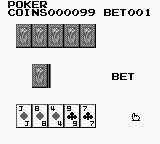
Card Game (Japan) is a title released for the Game Boy platform that falls within the card game genre. While specific details about its developer and publisher are not widely documented, it was released exclusively in Japan, catering to a niche audience. It reflects the era's trend of portable gaming, offering simple yet engaging gameplay on a handheld device.
In Card Game, players engage in strategic card battles, a common mechanic in card games of the time. The core gameplay involves drawing cards and utilizing them to defeat opponents, with mechanics likely revolving around turn-based play. Players must think critically about their card choices and manage their resources effectively, which adds layers of strategy to the experience.
For those interested in retro gaming, Card Game is a unique piece of the Game Boy library, especially for fans of card-based mechanics. While it may not have the widespread acclaim of other titles, it offers a glimpse into the variety of genres that were explored during the early days of handheld gaming. It’s a simple title, making it more suited for those who appreciate the genre rather than a broader audience seeking action or adventure.
GAME INFO
- Platform
- Game Boy
- Genre
- Board Game
- Region
- Japan
More Card Game Games
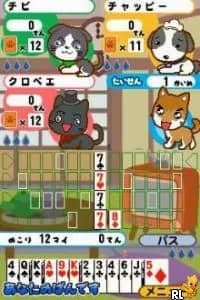
Ready for another round? Explore more Card Game games and console editions. Choose a game below to play it on its own page.
How to play Card Game online
Getting started with Card Game involves navigating the menus, which are presented in Japanese. Players should familiarize themselves with the layout to access various game modes and options. Since the game is card-based, understanding the types of cards available and their functions is crucial for success.
The core loop consists of drawing cards and using them strategically against opponents. Players will want to plan their moves carefully, as each card can have different effects. Mastering the mechanics and card interactions will enhance the gameplay experience, making it important for new players to experiment and learn through practice.
CONTROLS
Controls
- Arrow Keys — D-Pad / Movement
- X — A button (jump / confirm)
- S — B button (run / attack / cancel)
- Enter — Start / Pause
- V — Select
Card Game FAQ
Who developed Card Game?
Information about the developer of Card Game is not widely documented.
What makes Card Game stand out among Game Boy titles of its era?
The game stands out for its focus on card-based gameplay, a less common genre on the Game Boy compared to platformers or action titles. Its unique mechanics cater to a niche audience interested in strategic card play.
Can players save progress in Card Game?
Details regarding save functionality in Card Game are not widely documented, making it unclear whether players can save their progress within the game.
You may also like
All Game Boy games











GAME INFO
- Platform
- Game Boy
- Genre
- Board Game
- Region
- Japan
COMMENTS (0)
No comments yet. Be the first to share your thoughts.