CHOOSE A VERSION
2 versions · same consoleChoose an original release, regional version, revision, bootleg or clearly labelled ROM hack/mod, then press Play. Hacks may change the gameplay. Switching versions restarts the player.
Selected: Default · USA · USA
The game loads when you press Play · press “Play Now” inside the game if it asks.
Bionic Battler (USA)
Bionic Battler
Bionic Battler Overview
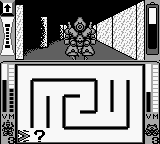
Bionic Battler (USA) is a game released for the Game Boy, a handheld console that defined portable gaming in the late 1980s and early 1990s. This title is categorized as an action game, and while specific developer information is not widely documented, the game is often noted for its engaging mechanics that reflect the era's gaming conventions. The Game Boy platform was known for its simplicity and accessibility, making it a fitting home for this title.
In Bionic Battler, players take on the role of a bionic warrior navigating various stages filled with enemies and obstacles. The gameplay typically involves running, jumping, and using attacks to defeat foes, a common structure in action games of the time. Players must master the controls to progress through increasingly challenging levels, encountering different enemies and power-ups that enhance their abilities.
This title is worth trying for those interested in the history of handheld gaming or for fans of action games. While it may not have the same level of recognition as other Game Boy classics, Bionic Battler offers a glimpse into the genre's evolution. Its straightforward mechanics and nostalgic charm make it a nice addition to any retro gaming collection, especially for those who appreciate lesser-known gems of the Game Boy library.
GAME INFO
How to play Bionic Battler online
Getting started with Bionic Battler involves selecting your game mode and diving into the action. The core gameplay loop revolves around navigating through stages, defeating enemies, and avoiding hazards. Familiarize yourself with the controls, as mastering them is crucial to progressing through the game.
As you play, keep an eye out for power-ups that can enhance your abilities. These can provide temporary boosts or new attacks that make it easier to tackle tougher enemies. Pay attention to the level design, as it often requires strategic movement and timing to overcome challenges effectively.
CONTROLS
Controls
- Arrow Keys — D-Pad / Movement
- X — A button (jump / confirm)
- S — B button (run / attack / cancel)
- Enter — Start / Pause
- V — Select
Bionic Battler FAQ
Who developed Bionic Battler?
Information about the developer of Bionic Battler is not widely documented.
Which regions was Bionic Battler released in?
Bionic Battler was released in the USA region for the Game Boy.
What makes Bionic Battler stand out among Game Boy titles of its era?
The game offers a straightforward action experience typical of its time but is not as widely recognized as other major titles. Its charm lies in its simplicity and nostalgic appeal to retro gaming enthusiasts.












COMMENTS (0)
No comments yet. Be the first to share your thoughts.