The game loads when you press Play · press “Play Now” inside the game if it asks.
Bill Elliott's NASCAR Fast Tracks (USA)
Bill Elliott's NASCAR Fast Tracks
Bill Elliott's NASCAR Fast Tracks - Racing Classic
GAME INFO
How to play Bill Elliott's NASCAR Fast Tracks online
Getting started in Bill Elliott's NASCAR Fast Tracks is quite simple. Once you boot up the game, you'll be prompted to select a race mode, where you can choose from various tracks and difficulty levels. Familiarizing yourself with the controls early on will help you navigate the tracks more effectively.
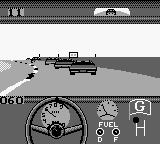
The core gameplay loop revolves around racing against opponents, where you must maintain speed while maneuvering through turns and avoiding collisions. Utilizing the power-ups and managing your car's speed at the right moments can give you an edge in the race. It's crucial to practice and learn the tracks to improve your performance and increase your chances of finishing first.
CONTROLS
Controls
- Arrow Keys — D-Pad / Movement
- X — A button (jump / confirm)
- S — B button (run / attack / cancel)
- Enter — Start / Pause
- V — Select
Bill Elliott's NASCAR Fast Tracks FAQ
Who developed Bill Elliott's NASCAR Fast Tracks?
The specific developer of Bill Elliott's NASCAR Fast Tracks is not widely documented.
What makes Bill Elliott's NASCAR Fast Tracks stand out among Game Boy titles of its era?
The game captures the excitement of NASCAR racing in a simple, portable format. It appeals to fans of the sport and provides a nostalgic experience for those who enjoyed retro racing games.
Does Bill Elliott's NASCAR Fast Tracks have a multiplayer or co-op mode?
The game does not feature a multiplayer or co-op mode, focusing solely on single-player racing experience.












COMMENTS (0)
No comments yet. Be the first to share your thoughts.