The game loads when you press Play · press “Play Now” inside the game if it asks.
Battleship (USA, Europe)
Battleship
About Battleship
- Game Boy
- Board Game
- 5· 0 votes
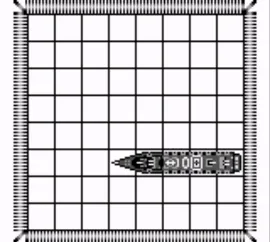
Battleship (USA, Europe) is a strategic board game adaptation released for the Game Boy. It was developed and published during the early 1990s, a time when handheld gaming was gaining traction. This version of Battleship is a digital take on the classic naval combat game that many people grew up playing on paper, making it a nostalgic experience for some players.
In this game, players engage in turn-based naval warfare, trying to sink their opponent's fleet of ships before their own fleet is destroyed. The gameplay revolves around guessing the locations of the enemy's ships on a grid and marking hits and misses. Each player takes turns calling out coordinates to find and sink the ships, which adds an element of strategy and luck to the experience.
Battleship on Game Boy is worth exploring for those who appreciate classic strategy games and enjoy the challenge of outsmarting an opponent. It's a straightforward adaptation, making it accessible for casual gamers or those looking for a quick gaming session. While it may not have the depth of some contemporary strategy titles, its simplicity and nostalgic charm make it a fun diversion for fans of the genre.
GAME INFO
- Platform
- Game Boy
- Genre
- Board Game
- Publisher
- Mindscape
- Developer
- Mindscape
- Released
- 1987
- Players
- 1-2
- Region
- USA, Europe
How to play Battleship online
To get started in Battleship, choose a mode of play, typically against a computer opponent or a friend. Set up your ships on the grid, ensuring they are placed either vertically or horizontally. The objective is to strategically guess the locations of your opponent's ships while keeping track of your own.
As you progress, call out coordinates to attack your opponent's grid. If you hit a ship, you’ll be informed, and you can continue your turn until you miss. The core loop involves taking turns, making educated guesses based on previous hits and misses, and adapting your strategy as you go. It's essential to remember the layout of your ships and keep track of your opponent's moves to outmaneuver them.
CONTROLS
Controls
- Arrow Keys — D-Pad / Movement
- X — A button (jump / confirm)
- S — B button (run / attack / cancel)
- Enter — Start / Pause
- V — Select
Battleship FAQ
Does Battleship have a multiplayer or co-op mode?
This game primarily features a turn-based mode where players can compete against each other. However, it does not support simultaneous multiplayer gameplay.
Is Battleship an official release, a fan hack, a prototype, or another kind of build?
Battleship for Game Boy is an official release, based on the classic board game of the same name. It was developed and published for the Game Boy platform during the early 1990s.
In what year was Battleship originally released?
The original release year for Battleship on the Game Boy is not widely documented. However, it was released during the early 1990s, coinciding with the handheld gaming boom.
You may also like
All Game Boy games











GAME INFO
- Platform
- Game Boy
- Genre
- Board Game
- Publisher
- Mindscape
- Developer
- Mindscape
- Released
- 1987
- Players
- 1-2
- Region
- USA, Europe
COMMENTS (0)
No comments yet. Be the first to share your thoughts.