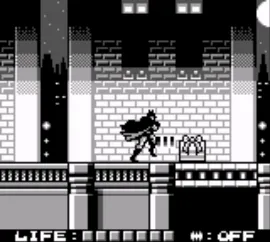
The game loads when you press Play · press “Play Now” inside the game if it asks.
Batman - The Animated Series (USA, Europe)
Batman - The Animated Series
Batman - The Animated Series: GB Action
GAME INFO
How to play Batman - The Animated Series online
CONTROLS
Controls
- Arrow Keys — D-Pad / Movement
- X — A button (jump / confirm)
- S — B button (run / attack / cancel)
- Enter — Start / Pause
- V — Select
Batman - The Animated Series FAQ
Is there anything iconic or memorable about Batman - The Animated Series?
The game is notable for its authentic representation of the animated series, capturing the show's tone and characters. The graphics and sound design reflect the series' distinctive style, making it memorable for fans.
Roughly how long does it take to finish Batman - The Animated Series?
The average playtime to complete this game is around 4 to 6 hours, depending on the player's skill level and familiarity with platformers. Players may take longer if they explore thoroughly or struggle with certain sections.
Who developed Batman - The Animated Series?
The game was developed by Konami, a company known for creating various successful titles during the era of the Game Boy. Their expertise in crafting engaging gameplay is evident in this adaptation of the animated series.












COMMENTS (0)
No comments yet. Be the first to share your thoughts.