CHOOSE A VERSION
3 versions · same consoleChoose an original release, regional version, revision, bootleg or clearly labelled ROM hack/mod, then press Play. Hacks may change the gameplay. Switching versions restarts the player.
- Default · France · En,Fr,De,Es
- Schiffe Versenken (Germany) (En,Fr,De,Es)
- Sea Battle (Europe) (En,Fr,De,Es)
Selected: Default · France · En,Fr,De,Es · Europe
The game loads when you press Play · press “Play Now” inside the game if it asks.
Bataille Navale (France) (En,Fr,De,Es)
Bataille Navale
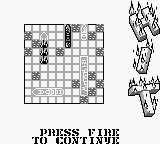
Inside Bataille Navale
- Game Boy
- Board Game
- 5· 0 votes
GAME INFO
- Platform
- Game Boy
- Genre
- Board Game
- Players
- 2
- Region
- Europe
How to play Bataille Navale online
To get started with Bataille Navale, first select your game mode and set up your fleet on the grid. Each player arranges their ships in a hidden manner while trying to guess the positions of the opponent's ships. The core gameplay loop involves taking turns to call out coordinates, trying to hit the opponent's ships while avoiding having your own sunk.
It's important to think strategically about ship placement and coordinate calling. As you progress, keep track of hits and misses to narrow down potential ship locations. The game is relatively easy to pick up, making it suitable for both casual players and those looking to relive the nostalgia of classic naval strategy games.
CONTROLS
Controls
- Arrow Keys — D-Pad / Movement
- X — A button (jump / confirm)
- S — B button (run / attack / cancel)
- Enter — Start / Pause
- V — Select
Bataille Navale FAQ
What type of game is Bataille Navale?
This game is a strategy title that focuses on naval combat, resembling the classic board game Battleship. Players take turns calling out coordinates to locate enemy ships on a grid.
Is Bataille Navale exclusive to Game Boy or did it appear on other systems?
The game was specifically released for the Game Boy, and there are no widely documented versions available on other systems. It remains a unique title for the handheld console.
Does Bataille Navale have a multiplayer or co-op mode?
Bataille Navale supports multiplayer gameplay, allowing two players to compete against each other on the same device. This adds a layer of social interaction that enhances the strategic experience.
You may also like
All Game Boy games











GAME INFO
- Platform
- Game Boy
- Genre
- Board Game
- Players
- 2
- Region
- Europe
COMMENTS (0)
No comments yet. Be the first to share your thoughts.