CHOOSE A VERSION
2 versions · same consoleChoose an original release, regional version, revision, bootleg or clearly labelled ROM hack/mod, then press Play. Hacks may change the gameplay. Switching versions restarts the player.
Selected: Default · Europe · Europe
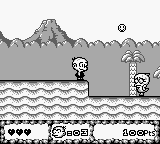
The game loads when you press Play · press “Play Now” inside the game if it asks.
B.C. Kid (Europe)
B.C. Kid
What is B.C. Kid?
- Game Boy
- Platformer
- 5· 0 votes
GAME INFO
- Platform
- Game Boy
- Genre
- Platformer
- Released
- 1994
- Players
- 1
- Region
- Europe
More B.C. Kid Games
Ready for another round? Explore more B.C. Kid games and console editions. Choose a game below to play it on its own page.
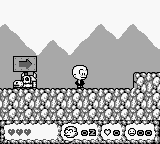
How to play B.C. Kid online
CONTROLS
Controls
- Arrow Keys — D-Pad / Movement
- X — A button (jump / confirm)
- S — B button (run / attack / cancel)
- Enter — Start / Pause
- V — Select
B.C. Kid FAQ
Who developed B.C. Kid?
The game was developed by Red Company for the Game Boy platform.
Does B.C. Kid have a multiplayer or co-op mode?
B.C. Kid does not feature a multiplayer or co-op mode; it is a single-player experience.
What makes B.C. Kid stand out among Game Boy titles of its era?
Its prehistoric theme and charming graphics offer a unique aesthetic. While it may not be as popular as other titles, it provides simple yet enjoyable platforming gameplay.
You may also like
All Game Boy games











GAME INFO
- Platform
- Game Boy
- Genre
- Platformer
- Released
- 1994
- Players
- 1
- Region
- Europe
COMMENTS (0)
No comments yet. Be the first to share your thoughts.