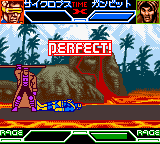
X-Men - Mutant Academy (Japan)
Getting to Know X-Men - Mutant Academy (Japan)
In practice, you select a character from the X-Men roster and battle against AI opponents or a friend via link cable. Each fighter has a set of punches, kicks, and special moves tied to the B and A buttons. The core loop involves memorizing attack patterns, blocking, and chaining combos. Matches are round-based with health bars, and the game keeps things simple with no complex story mode or unlockables beyond the basic arcade ladder.
This title is a decent choice for retro fighting fans who want a quick fix on the go. It does not reach the depth of console fighters like Street Fighter or even X-Men: Children of the Atom, but it captures the spirit of the franchise in a compact cartridge. The Japan release is functionally similar to other regional versions, so if you are a collector, it adds a nice variant to your library. Just do not expect elaborate graphics or tight balance - it is a simple, functional fighter from an era when handhelds were still proving they could handle the genre.
How to Play X-Men - Mutant Academy (Japan) Online
Getting Started
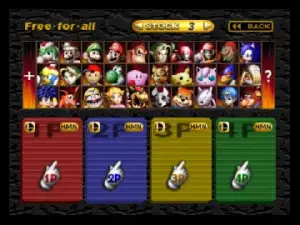
When you boot up the game, you will see a title screen in Japanese. Press Enter to start, then use the D-Pad to highlight the first option (likely Battle Mode) and press X to confirm. You will be taken to a character select screen where you can choose from several X-Men fighters - icons are recognizable enough even without English text.
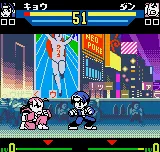
The core loop is simple: pick a character, then fight a series of opponents. Each fight lasts until one fighter's health bar is depleted. You can perform basic punches and kicks with the B button (S key) and special moves with the A button (X key) combined with directional inputs. Block by holding back (away from opponent) or pressing the guard button if available. The game does not have a complex tutorial, so experiment with timing and distance to find effective combos.
If you want to play with a friend, connect a second controller to the emulator (or use a link cable on real hardware) and select the two-player mode from the menu. Note that all menus and on-screen text are in Japanese, but the layout is similar to other fighting games - the first option is usually single player, the second versus, and later options may be options or settings. If you get stuck, just try each menu item until you find the gameplay you want.
X-Men - Mutant Academy (Japan) Keyboard Controls
Controls
- Arrow Keys: D-Pad / Movement
- X: A button (jump / confirm)
- S: B button (run / attack / cancel)
- Enter: Start / Pause
- V: Select

Comments (0)