The game loads when you press Play · press “Play Now” inside the game if it asks.
Montezuma's Return! (USA) (En,Es)
Montezuma's Return!
Montezuma's Return! Overview
- Game Boy Color
- Platformer
- 5· 0 votes
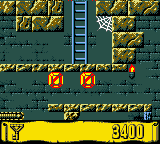
Your goal is to navigate a series of interconnected, maze-like chambers beneath an Aztec temple. The view is first-person, but movement is tile-based - you step from square to square. Each room is filled with traps, moving blocks, and hostile creatures. You need to collect keys to unlock doors, gather treasure for points, and find the exit leading to the next level. Jumping over gaps and onto platforms is essential, and timing often matters when dodging spikes or rolling boulders. The core loop involves exploring each stage, figuring out the order of switches and keys, and avoiding death while progressing deeper into the ruins. It's equal parts exploration, reflexes, and spatial reasoning.
This game is notable for being one of the few first-person platformers on the Game Boy Color, which gives it a quirky spot in the library. It's not as polished or well-known as the big Nintendo titles, but it offers a genuine challenge and a unique perspective that stands apart from the usual side-scrollers. If you enjoy old-school maze games like the early King's Field or the dungeon sections in Zelda, Montezuma's Return! might scratch that itch. It's a niche but memorable piece of late-90s handheld gaming that still feels distinct today.
GAME INFO
- Platform
- Game Boy Color
- Genre
- Platformer
- Released
- 1998
- Players
- 1
- Region
- USA
How to play Montezuma's Return! online
Getting Started
Press Enter to start a new game. You'll appear in a stone corridor viewed from the first-person perspective. Use the D-Pad to step forward, backward, and turn left or right. The game world is laid out on a grid - each press of the D-Pad moves you one tile or rotates 90 degrees. Look around the room for any doors, keys, switches, or treasure. The goal is to find the exit, but most doors are locked and require a matching key.
The core loop is simple: explore a small maze of rooms and corridors. Grab keys you see, step over switches (they may open or close walls), avoid enemies and traps like spike pits or falling blocks. When you reach a locked door, use the matching key by pressing X (A button) while facing the door. Jump over gaps with X while moving forward. Check every side - some hidden passages or items are only visible by turning. If you pause with Enter, you can see your current score and maybe a mini-map if available (the GBC version includes a small automap).
New players should take it slow. Enemies often patrol predictable paths, and traps can be triggered by stepping on pressure plates. Memorize the layout of each small room - you'll often need to loop around to find the correct key for a door you passed earlier. There is no save system (likely passwords or just restarting), so practice the early levels to get a feel for the movement and timing. Don't rush; careful observation is more important than speed.
CONTROLS
Controls
- Arrow Keys: D-Pad / Movement
- X: A button (jump / confirm)
- S: B button (run / attack / cancel)
- Enter: Start / Pause
- V: Select
Montezuma's Return! FAQ
Is there anything iconic or memorable about Montezuma's Return!?
Switching from the original 2D platformer to a 3D first-person perspective was a bold move for a handheld title. Its grid-based movement and puzzle-heavy levels give it a unique feel closer to a dungeon crawler than a typical platformer. The game also features a soundtrack by a television and film veteran, adding production value rare for a GBC action title.
Is Montezuma's Return! exclusive to Game Boy Color or did it appear on other systems?
The game originally launched on MS-DOS and Windows PCs in 1997 before arriving on Game Boy Color in 1998. A Nintendo 64 port was announced but ultimately cancelled, so the GBC version is one of only two commercially released builds.
Who developed Montezuma's Return!?
The developer was Utopia Technologies, an American studio that focused on interactive entertainment in the late 1990s. The company's spokesperson, Steve Bergenholtz, noted that the musical score was composed by a television and film veteran, though the composer's name is not widely documented.
You may also like
All Game Boy Color games











GAME INFO
- Platform
- Game Boy Color
- Genre
- Platformer
- Released
- 1998
- Players
- 1
- Region
- USA
COMMENTS (0)
No comments yet. Be the first to share your thoughts.