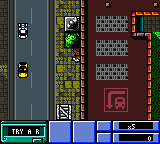
Grand Theft Auto (Europe) (En,Fr,De,Es,It)
Grand Theft Auto (Europe) (En,Fr,De,Es,It) on GBC
Grand Theft Auto on Game Boy Color is a compact translation of the open-world crime series, released in Europe in 1999. Developed by DMA Design and published by Rockstar Games, this iteration retains the top-down view and free-roaming structure that defined the original PC game. It's built for the handheld, offering a portable taste of the crime saga with multiple language options (English, French, German, Spanish, Italian).
The player takes control of a criminal in a sprawling city, free to roam streets, steal vehicles, and undertake missions from payphones. The core loop involves driving to objectives, engaging in shootouts from an overhead perspective, and managing wanted levels. Money and respect are earned through completing jobs, which unlock new areas and cars. It's a simplified but faithful version of the GTA formula, with a focus on exploration and chaotic action rather than deep narrative.
What makes this worth revisiting is how well it captures the early GTA spirit on a tiny screen. The top-down view was already iconic, and seeing it on Game Boy Color is a neat novelty. It's not as polished as later entries, but for fans of the series or anyone curious about portable crime sandboxes of the late '90s, it's a solid time capsule. The missions are short enough to fit in a commute, and the open-ended structure keeps it engaging.
How to Play Grand Theft Auto (Europe) (En,Fr,De,Es,It) Online
Getting Started
When the game boots, you'll see a menu to select a character (each with different starting stats) and a city (Liberty City or Vice City in the GBC version). After that, you are dropped in the middle of the city with a small amount of cash. The first thing to do is find a vehicle - walk up to any car and press the B button to enter. Use the arrow keys to drive around. Look for payphones or colored markers on the map to pick up missions.
The core loop is simple: accept a job, drive to the destination, complete the objective (kill a target, steal a car, deliver a package), and return to collect money. If you get a wanted level, police will chase you. Lose them by driving out of sight or entering a Pay 'n' Spray (spray icon). You can also steal better cars to make missions easier. Health is replenished by collecting hearts or visiting hospitals.
Remember that you can save your progress at safehouses (green dots on the map). The game has no tutorial, so expect to learn by trial and error. Each city has a series of missions that gradually increase in difficulty. If you fail a mission, you lose some cash but can retry immediately. Take your time exploring - there are hidden packages that increase your health and weapon spawns.
Grand Theft Auto (Europe) (En,Fr,De,Es,It) Keyboard Controls
Controls
- Arrow Keys: D-Pad / Movement
- X: A button (jump / confirm)
- S: B button (run / attack / cancel)
- Enter: Start / Pause
- V: Select






Comments (0)