The game loads when you press Play · press “Play Now” inside the game if it asks.
Plutos (Unknown) (Proto)
Plutos
Plutos - Action Classic
- ATARI 7800
- Action
- Prototype
- 5· 0 votes
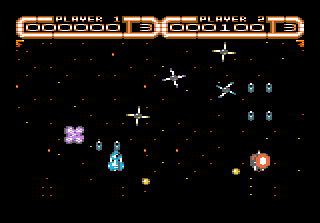
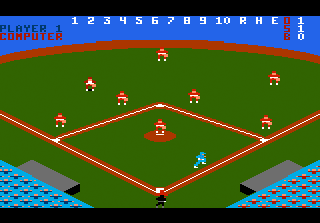
What little can be inferred from the ROM suggests a side-scrolling action game, possibly a platformer or shooter. You control a character that moves left and right, jumps over obstacles or gaps, and fires at enemies. The screen scrolls horizontally as you advance. There might be simple enemy patterns and a timer or score counter at the top. Since it's a prototype, controls and collision detection feel rough by finished-game standards. No story or level-select screen is present in the limited ROM data.
Today, Plutos is a curiosity for Atari 7800 collectors and prototype hunters. It offers a glimpse into a game that was in development but never completed, showing the kind of early design choices from that era. It's not a polished experience - expect bugs, missing graphics, and abrupt endings. If you enjoy exploring unreleased software and imagining what could have been, this is worth a quick look. Otherwise, stick to finished 7800 titles for a more satisfying play.
GAME INFO
- Platform
- ATARI 7800
- Genre
- Action
- Version
- Proto
How to play Plutos online
Getting Started
When you boot the ROM, the game starts immediately with no title screen or menu. Your character appears on the left side of the screen. Use the arrow keys to move left and right, and press X to jump. Try pressing S to see if it fires a weapon or performs an action - this is often the attack or confirm button on Atari 7800 homebrews.
The core loop involves moving right until you either reach the edge of the level or get hit by an enemy. There is no HUD visible in early versions, so you may have limited lives or health that aren't displayed. Since this is a prototype, the game may end abruptly or loop after a short distance. Experiment with all buttons to discover any hidden mechanics, like pausing or using items (though none are documented).
If you encounter slow movement or jittery sprites, that's due to the unfinished state - not your controls. There's no in-game tutorial, so just explore and see how far you can get. Prototypes often lack game-over screens, so if the game stops responding, reset the emulator (F1 usually).
CONTROLS
Controls
- Arrow Keys: Joystick
- X: Button 1
- S: Button 2
- Enter: Pause
- V: Select
Plutos FAQ
Who developed Plutos?
The developer of Plutos is not documented anywhere in the available ROM or metadata. It remains unknown whether this was an internal Atari project or an outside studio.
Can players save progress in Plutos?
No save feature exists in this prototype. The ROM contains no battery backup or password system, so every session starts from the beginning.
Does Plutos have a multiplayer or co-op mode?
There is no evidence of multiplayer or co-op support. The ROM is single-player only, and no two-player code has been found in the data.
You may also like
All ATARI 7800 games
GAME INFO
- Platform
- ATARI 7800
- Genre
- Action
- Version
- Proto
COMMENTS (0)
No comments yet. Be the first to share your thoughts.