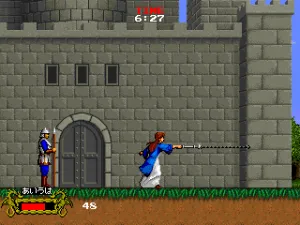
Cadash (Japan, version 1)
Inside Cadash (Japan, version 1)
Cadash is an action role-playing platform game that Taito originally put into arcades back in 1990. While it might look like a typical side-scroller at first glance, it blends real-time combat with RPG progression. The version you find here is labeled 'Japan, version 1', meaning it's the original Japanese arcade build rather than one of the later home ports. Taito was known for arcade hits like Bubble Bobble and Rainbow Islands, but Cadash took a different path by mixing platforming with character stats, magic, and equipment.
How to Play Cadash (Japan, version 1) Online
When you start Cadash, you'll see the attract mode first. Press the Start button (Enter key) to get to the main menu. Since this is a Japanese version, the text is in Japanese, but the menu options are straightforward: you'll typically see a character select screen with multiple classes like Fighter, Mage, Priest, and Ninja. Pick one using the D-Pad and press the A button (X key) to confirm. Each class has different starting stats and special abilities.
The core gameplay loop involves moving left to right through dungeon-like levels, slashing or casting spells at monsters while collecting gold and experience points. Your character levels up by gaining enough experience, which increases your health, strength, and magic power. You can buy better weapons and armor at shops found between stages. Watch your health bar - if it drops to zero, you lose a life. Use potions to heal. The game is challenging, so expect to repeat sections several times before you master the timing of enemy attacks.
Cadash (Japan, version 1) Keyboard Controls
Controls
- Arrow Keys: Joystick / Movement
- X: Button 1
- S: Button 2
- Z: Button 3
- A: Button 4
- Q: Button 5
- E: Button 6
- Enter: Start / 1P
- V: Coin / Insert






Comments (0)