The game loads when you press Play · press “Play Now” inside the game if it asks.
Black Hole
Black Hole
About Black Hole
GAME INFO
How to play Black Hole online
Getting Started
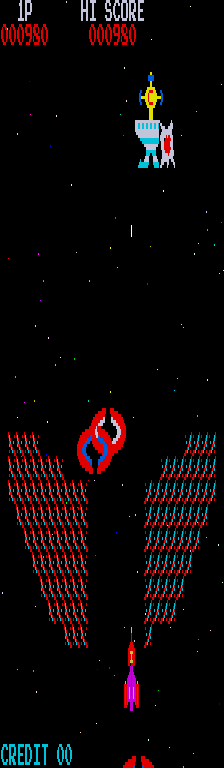
Start a new game from the main menu using the Start button (Enter). You'll be dropped into an arena with a black hole at its center. Use the Arrow Keys to move your ship around the screen. The black hole's gravity will pull you, so you must constantly thrust away or spiral around it to avoid being drawn in.
Fire your weapon using the B button (S key). Aiming is not locked to eight directions since the game expects twin-stick input. With keyboard, you will need to practice moving with Arrow keys while pressing S to shoot in the direction your ship faces. The default move-and-shoot mapping means you cannot independently aim - this is a limitation of the keyboard layout; the original Ouya or Switch controller allowed full analog aim.
Survive as long as you can, destroying enemies and evading their projectiles. Your score increases with each kill and each second alive. There are no lives or continues - when you get pulled into the black hole or hit by an enemy, the game ends. The goal is simply to set a new high score.
CONTROLS
Controls
- Arrow Keys: Joystick / Movement
- X: Button 1
- S: Button 2
- Z: Button 3
- A: Button 4
- Q: Button 5
- E: Button 6
- Enter: Start / 1P
- V: Coin / Insert
Black Hole FAQ
Who developed Black Hole?
DufGames developed Black Hole, serving as both developer and publisher for the original Ouya and ForgeTV releases as well as the later Switch port.
In what year was Black Hole originally released?
The original release was in 2016 for the Ouya and ForgeTV platforms. The Nintendo Switch version came out on February 6, 2018.
Can players save progress in Black Hole?
Progress in Black Hole is not saved between sessions. It is a score-based arcade shooter where every game starts from scratch. High scores may persist if the platform supports leaderboards, but there is no save file for continued play.












COMMENTS (0)
No comments yet. Be the first to share your thoughts.