Aliens (World set 2)
Inside Aliens (World set 2)
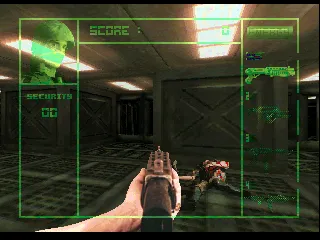
Aliens (World set 2) is the arcade run-and-gun shooter based on James Cameron's 1986 film, released by Konami in 1990. This particular ROM set, labeled 'World set 2', represents one of the later revisions of the international version. The cabinet is a staple of early 90s arcades, known for its overhead and side-scrolling levels that capture the movie's tense, action-packed atmosphere.
How to Play Aliens (World set 2) Online
Getting started: Insert a coin (press 5 on keyboard or map a coin key in emulator) and press Enter to start. You control a colonial marine fighting through alien-infested corridors. The goal is to survive each level by shooting Xenomorphs and completing objectives like destroying hive structures or rescuing fellow marines. You can move in all directions using the arrow keys - the default perspective is a mix of side-scrolling and overhead sections, so keep an eye on both horizontal and vertical threats.
The core loop involves advancing forward, blasting aliens, and grabbing weapon pickups that appear in crates or from fallen enemies. Your standard pulse rifle can be upgraded to flamethrower, grenade launcher, or smartgun by collecting the corresponding icon. Ammo is limited for secondary weapons, so use them wisely. Green health packs restore life, but you only have a limited number of continues. Shields (blue icons) provide temporary invulnerability. Memorize enemy spawn points and keep moving - staying still gets you surrounded.
If you are playing alone, know that the game is tuned for two-player co-op, so expect tougher odds. There is no continues in the default dip switch setting, but many emulated versions allow you to set infinite credits. The Adventure Mode (the only mode) has five stages, each ending with a boss fight against the Queen or other large aliens. Pay attention to the on-screen timer - it's a countdown, not a score modifier. Running out of time costs a life. The menus are in English, so no language barrier.
Aliens (World set 2) Keyboard Controls
Controls
- Arrow Keys: Joystick / Movement
- X: Button 1
- S: Button 2
- Z: Button 3
- A: Button 4
- Q: Button 5
- E: Button 6
- Enter: Start / 1P
- V: Coin / Insert

Comments (0)