1942 (First Version)
Getting to Know 1942 (First Version)
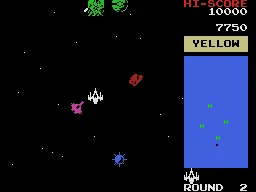
1942 is a vertically scrolling shooter that hit arcades in 1984, developed and published by Capcom. Designed by Yoshiki Okamoto, it kicked off the 194X series of WWII-themed shooters. The game puts you in control of a lone fighter plane, tasked with taking on waves of enemy aircraft across various stages.
Your goal is simple: fly your plane through enemy formations while shooting down opponents and avoiding collisions. A key move is the roll maneuver, which lets you dodge incoming fire. Power-ups appear to upgrade your main gun and add wingmen for extra firepower. The game scrolls automatically, and you fight a boss at the end of each level before advancing.
For a 1984 title, 1942 set a standard for the vertical shooter genre with its tight controls and varied enemy patterns. It's not overly complex, but it offers a satisfying challenge that rewards practice. If you enjoy classic shoot-'em-ups, this is a solid entry to revisit or discover for the first time.
How to Play 1942 (First Version) Online
In 1942, your objective is to pilot a fighter plane through hordes of enemy aircraft. The screen scrolls upward automatically, and you must dodge enemy bullets and collisions while shooting down as many planes as possible. The roll maneuver (press S or B) makes your plane briefly invincible and helps you avoid dense fire. Collect power-ups that appear from destroyed enemies to upgrade your weapon or add escort planes that shoot alongside you.
The game progresses through stages, each ending with a boss fight. Survive the stage to continue. You have a limited number of lives, and continuing requires inserting more credits. The arcade version has no save feature, so play until you run out of lives or credits. Menus are minimal and mostly in English, so you can jump right in. Focus on learning enemy patterns and using your roll wisely to survive.
1942 (First Version) Keyboard Controls
Controls
- Arrow Keys: Joystick / Movement
- X: Button 1
- S: Button 2
- Z: Button 3
- A: Button 4
- Q: Button 5
- E: Button 6
- Enter: Start / 1P
- V: Coin / Insert


Comments (0)