
Virtua Racing (Europe)
About Virtua Racing (Europe)
Virtua Racing (Europe) is the SEGA Genesis port of a legendary 1992 arcade title that helped launch the 3D revolution in video games. Developed by Sega AM2 and published by Sega, this polygon-pushing racer was a technical marvel when it first appeared in arcades, and the home console version brought that experience to living rooms across Europe. It's a pure arcade racer at heart, stripping away any complex simulation to focus on raw speed and tight cornering.
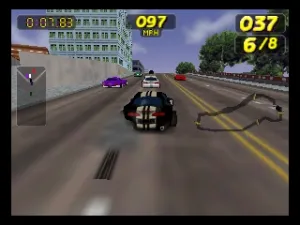
The player picks one of several Formula 1-inspired cars and races against AI opponents across a handful of tracks. The view is a chase cam behind the car, and the entire world is made of flat-shaded polygons, a novelty that felt like peering into the future. There's no story, no upgrade system- just you, the throttle, and the need to finish first. The controls are simple: steer left and right, accelerate, brake, and occasionally use a turbo boost. Mastering the braking point for each turn is key, as the unforgiving AI will punish any mistake. The sensation of speed is intense for a 16-bit machine.
Today, Virtua Racing is worth playing as a historical artifact and a pure adrenaline rush. It's a snapshot of gaming's transition from 2D to 3D, and the Genesis port is a technical curiosity that runs respectably on the hardware. Compared to other Genesis racers like Road Rash or Super Hang-On, Virtua Racing feels more sterile and arcade-perfect, but its importance cannot be overstated. If you want to understand where modern racing games came from, this is a must-try.
How to Play Virtua Racing (Europe) Online
When you boot the game, you'll be greeted by a title screen and a short attract mode. Press Start (Enter) to advance. The first screen asks you to choose a car and a track. The selection is simple: use the D-pad to scroll through options and press A (X key) to confirm. After that, the race begins immediately.
Your goal is to finish first out of a small grid of cars. The core loop is straightforward: accelerate as much as possible, brake before tight corners, and avoid spinning out. The turbo boost (hold the A button? I think it's the same as accelerate?) gives a speed burst but can be tricky to handle. Keep an eye on the side mirrors for opponents trying to pass. If you spin out or crash, the car instantly resets, costing valuable time. Practice each track's layout to find the fastest line. The controls are responsive but require a light touch-especially when steering at high speeds. There are no options for difficulty or number of laps; the game sets those automatically. Just focus on clean racing and you'll unlock the next track.
Virtua Racing (Europe) Keyboard Controls
Controls
- Arrow Keys: D-Pad / Movement
- X: A button
- S: B button
- Z: C button
- A: X button (6-button pad)
- Q: Y button (6-button pad)
- E: Z button (6-button pad)
- Enter: Start / Mode


Comments (0)