CHOOSE A VERSION
2 versions · same consoleChoose an original release, regional version, revision, bootleg or clearly labelled ROM hack/mod, then press Play. Hacks may change the gameplay. Switching versions restarts the player.
Selected: Default · World · v1.2 · Worldwide
The game loads when you press Play · press “Play Now” inside the game if it asks.
Toe Jam & Earl (World) (v1.2)
Toe Jam & Earl
Toe Jam & Earl: Genesis Adventure
- SEGA Genesis
- Adventure
- 5· 0 votes
GAME INFO
- Platform
- SEGA Genesis
- Genre
- Adventure
- Released
- 1991
- Players
- 1-2
- Region
- Worldwide
- Version
- v1.2
How to play Toe Jam & Earl online
Getting Started
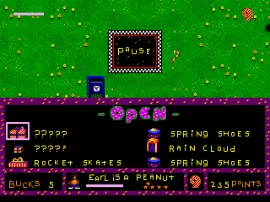
Your alien buddies crash land on Earth and need to find ten pieces of their spaceship scattered across randomly generated levels. Each level is a large, open field with trees, roads, and a few human enemies wandering around. You move using the D-Pad, jump with X, and run with S. The core loop is simple: explore every corner of the map, collect presents (which are your items), avoid getting killed by angry Earthlings, and find the elevator that takes you deeper underground.
Presents are your lifeline. Open them carefully - some give you useful tools like rocket skates or a tomato launcher, while others backfire and hurt you. You can also find food to restore health, and sometimes other aliens to help you in co-op mode. The map is different every time you play, so no two runs feel the same. If you die, it is game over and you have to start from the beginning, but you can keep playing with a continue token if you found one.
Two-player mode lets both Toe Jam and Earl play at once, sharing the screen. Communication and sharing presents makes the survival much more manageable. New players should focus on learning which presents are safe and which humans are slow enough to outrun. There is no set order for collecting ship parts, so feel free to explore whichever direction looks safe.
CONTROLS
Controls
- Arrow Keys: D-Pad / Movement
- X: A button
- S: B button
- Z: C button
- A: X button (6-button pad)
- Q: Y button (6-button pad)
- E: Z button (6-button pad)
- Enter: Start / Mode
Toe Jam & Earl FAQ
Is Toe Jam & Earl exclusive to SEGA Genesis or did it appear on other systems?
Originally released only on the SEGA Genesis in 1991, it has since been re-released on platforms like the Wii Virtual Console and Steam as part of the ToeJam & Earl: Back in the Groove compilation. Those modern ports are based on the original code, so the core game remains the same.
What makes Toe Jam & Earl stand out among SEGA Genesis titles of its era?
Its roguelike structure, cooperative two-player gameplay, and heavy funk aesthetic were unlike anything else on the Genesis. The random level generation, quirky sense of humor, and emphasis on exploration over combat made it a cult classic that still feels fresh today.
Who developed Toe Jam & Earl?
The game was developed by Johnson Voorsanger Productions, a small studio that went on to become ToeJam & Earl Productions. Greg Johnson and Mark Voorsanger were the key figures behind its design and programming.
You may also like
All SEGA Genesis games











GAME INFO
- Platform
- SEGA Genesis
- Genre
- Adventure
- Released
- 1991
- Players
- 1-2
- Region
- Worldwide
- Version
- v1.2
COMMENTS (0)
No comments yet. Be the first to share your thoughts.