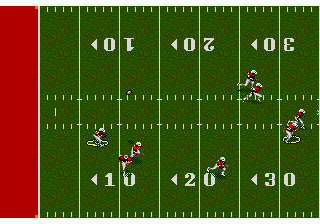
The game loads when you press Play · press “Play Now” inside the game if it asks.
NFL Sports Talk Football '93 Starring Joe Montana (USA, Europe)
NFL Sports Talk Football '93 Starring Joe Montana
NFL Sports Talk Football '93 Starring Joe Montana Overview
- SEGA Genesis
- Sports
- 5· 0 votes
GAME INFO
- Platform
- SEGA Genesis
- Genre
- Sports
- Released
- 1992
- Players
- 1-2
- Region
- USA, Europe
How to play NFL Sports Talk Football '93 Starring Joe Montana online
Getting Started
When you start NFL Sports Talk Football '93, the first thing to do is press Start to get past the title screen. You'll see a menu where you select a game mode - usually Exhibition (single game) or a short season. Use the D‑Pad to highlight your choice and press the A button (X key on keyboard) to confirm. After that, pick a home and away team from the list of all 28 NFL clubs. The game uses real team names but not official player names due to licensing.
The core loop is standard football: you control one team and try to outscore the other over four quarters. On offense, you're shown a playbook with a few run and pass options. Highlight a play with the D‑Pad and press A to call it. Once the ball is snapped (press A again), you control the quarterback or running back. Use the D‑Pad to move, press S (B button) to sprint, and press Z (Y button) to throw to a receiver if you're the QB. On defense, you choose a formation, then control a player to try to tackle the ball carrier. The game's unique feature is the speech commentary that announces downs, yardage, and penalties - listen for it after big plays.
New players should start with a simple playbook: stick to basic runs and short passes on offense, and on defense pick a balanced formation like 4‑3. The AI isn't punishing, so you can learn as you go. Press V (Select) to toggle between players on defense if you want to control someone closer to the action. If you get stuck, just keep playing - the game doesn't have complex menus or hidden rules. It's a pickup‑and‑play arcade football experience with the novelty of hearing a commentator yell "First down!" through your TV speakers.
CONTROLS
Controls
- Arrow Keys: D-Pad / Movement
- X: A button
- S: B button
- Z: C button
- A: X button (6-button pad)
- Q: Y button (6-button pad)
- E: Z button (6-button pad)
- Enter: Start / Mode
NFL Sports Talk Football '93 Starring Joe Montana FAQ
Is NFL Sports Talk Football '93 Starring Joe Montana considered easy to pick up or challenging?
The game leans towards arcade accessibility rather than deep simulation. Playbooks are simple and the AI on default settings is forgiving, making it easy for newcomers to get into a rhythm. Skilled players can find challenge by adjusting difficulty settings or playing head‑to‑head against a friend.
What type of game is NFL Sports Talk Football '93 Starring Joe Montana?
It is an American football simulation with arcade‑style controls and a focus on the play‑by‑play experience. The standout feature is its digitized speech commentary, which was a first for the genre on home consoles. It belongs to the sports category, specifically the football sub‑genre.
Is NFL Sports Talk Football '93 Starring Joe Montana exclusive to SEGA Genesis or did it appear on other systems?
This title was released exclusively for the Sega Genesis in 1992 for North America and later in Europe. No ports to other consoles or computers are documented, making it a Genesis‑only entry in the Joe Montana series.
You may also like
All SEGA Genesis games











GAME INFO
- Platform
- SEGA Genesis
- Genre
- Sports
- Released
- 1992
- Players
- 1-2
- Region
- USA, Europe
COMMENTS (0)
No comments yet. Be the first to share your thoughts.