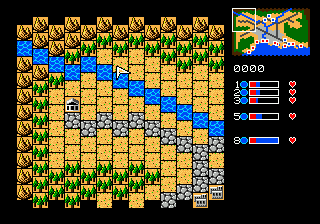
Caesar no Yabou (Japan)
Getting to Know Caesar no Yabou (Japan)
Caesar no Yabou is a historical strategy game released for the Sega Genesis in Japan. It landed on store shelves in the early 1990s, part of a wave of simulation titles that appealed to players who wanted more thoughtful experiences than arcade shooters offered. The game originally appeared on PC-98 systems before arriving on consoles, and the Genesis version retains the same deep management mechanics in a pixelated but colorful presentation. If you are used to Koei's other grand strategy works like the Romance of the Three Kingdoms series, this title follows a similar template but transports you to ancient Rome.
How to Play Caesar no Yabou (Japan) Online
Getting Started
When you start Caesar no Yabou, you pick a historical scenario and take control of a Roman province. The game uses a turn-based interface where you issue orders to manage food, gold, military units, and construction projects. Menus and text are entirely in Japanese, so some familiarity with strategy game conventions helps - look for numeric values and kanji that repeat across the interface.
The core loop involves evaluating your province's needs each turn, assigning governors or generals, building infrastructure like roads and forts, and raising armies. You also have to balance diplomacy with neighboring provinces while expanding your territory. Combat is resolved automatically based on your troop strength and tactics, so careful resource management is key. New players should start with an easier scenario and experiment with the menus to learn the interface.
Caesar no Yabou (Japan) Keyboard Controls
Controls
- Arrow Keys: D-Pad / Movement
- X: A button
- S: B button
- Z: C button
- A: X button (6-button pad)
- Q: Y button (6-button pad)
- E: Z button (6-button pad)
- Enter: Start / Mode




Comments (0)