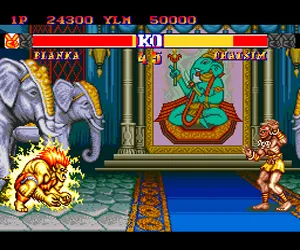
The game loads when you press Play · press “Play Now” inside the game if it asks.
Street Fighter II' - Champion Edition (Japan)
Street Fighter II' - Champion Edition
Street Fighter II' - Champion Edition Overview
- NEC TURBOGRAFX-16
- Fighting
- 5· 0 votes
GAME INFO
- Platform
- NEC TURBOGRAFX-16
- Genre
- Fighting
- Players
- 1-2
- Region
- Japan
- Version
- Champion Edition
More Street Fighter Games
Ready for another round? Explore more Street Fighter games and console editions. Choose a game below to play it on its own page.
How to play Street Fighter II' - Champion Edition online
Getting started: When you boot the game, the title screen appears in Japanese. Press Start to reach the main menu. You'll see options like 'Game Start' (likely the first option), 'Options' for settings, and maybe 'VS Mode' for two-player battles. Navigate with the D-Pad and confirm with X (A button). Choose 'Game Start' to begin.
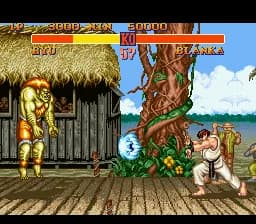
In single-player mode, you select a fighter from the roster of eight original characters plus the four grand masters (all playable in this version). Each match is a best-of-three rounds fight. Your goal is to defeat all opponents to become champion. The core loop involves spacing, using special moves (like fireballs and dragon punches), and blocking to counter attacks. The TurboGrafx-16 version retains the arcade gameplay but with slightly simplified graphics and sound.
If you're playing with a friend, pick 'VS Mode' for head-to-head matches. Thanks to Champion Edition, both players can now choose the same character, even the final bosses. This opens up mirror matches and new strategies. The game does not save progress, so you'll need to play through in one sitting or use save states in emulation.
CONTROLS
Controls
- Arrow Keys: D-Pad / Movement
- X: I button
- S: II button
- Enter: Run / Start
- V: Select
Street Fighter II' - Champion Edition FAQ
Is there anything iconic or memorable about Street Fighter II' - Champion Edition?
This update introduced the ability for two players to pick the same fighter, including the previously unplayable final bosses, Sagat and M. Bison. It also rebalanced character moves and speed, making the competitive scene more diverse.
Can players save progress in Street Fighter II' - Champion Edition?
No save feature exists in the original cartridge. Like most arcade ports of the era, you must finish the single-player mode in one session or rely on emulator save states to continue later.
What type of game is Street Fighter II' - Champion Edition?
It is a fighting game where two combatants face off in one-on-one battles using a variety of special attacks and combos. The core objective is to deplete the opponent's health bar over a series of rounds.
You may also like
All NEC TURBOGRAFX-16 games











GAME INFO
- Platform
- NEC TURBOGRAFX-16
- Genre
- Fighting
- Players
- 1-2
- Region
- Japan
- Version
- Champion Edition
COMMENTS (0)
No comments yet. Be the first to share your thoughts.