The game loads when you press Play · press “Play Now” inside the game if it asks.
Flash Hiders
Flash Hiders
Flash Hiders Overview
- NEC PC Engine CD
- Fighting
- 5· 0 votes
GAME INFO
- Platform
- NEC PC Engine CD
- Genre
- Fighting
- Publisher
- Right Stuff
- Developer
- Right Stuff
- Released
- 1993
- Players
- 1-2
- Region
- Japan
How to play Flash Hiders online
CONTROLS
Controls
- Arrow Keys: D-Pad / Movement
- X: I button
- S: II button
- Enter: Run / Start
- V: Select
Flash Hiders FAQ
Does Flash Hiders have a multiplayer or co-op mode?
It supports a two-player versus mode where one player controls a fighter while a second player picks a different character and they fight head-to-head. No cooperative mode exists; like most fighting games of the era, the focus is on competitive one-on-one matches.
Is Flash Hiders exclusive to NEC PC Engine CD or did it appear on other systems?
This title was released only for the NEC PC Engine Super CD-ROM² system in Japan. It never received a port to any other console, computer, or arcade hardware. The game remains exclusive to that platform.
What makes Flash Hiders stand out among NEC PC Engine CD titles of its era?
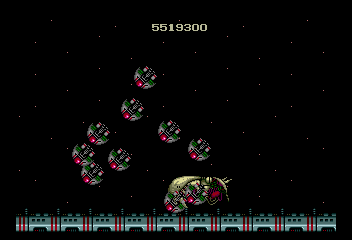
It stands out primarily because it is a dedicated 2D fighter on a CD-based system, offering redbook-quality audio and more detailed sprites than typical HuCard releases. The character designs lean toward a sci-fi anime aesthetic, which gives it a distinct visual identity within the PC Engine fighting game lineup.
You may also like
All NEC PC Engine CD games









GAME INFO
- Platform
- NEC PC Engine CD
- Genre
- Fighting
- Publisher
- Right Stuff
- Developer
- Right Stuff
- Released
- 1993
- Players
- 1-2
- Region
- Japan
COMMENTS (0)
No comments yet. Be the first to share your thoughts.