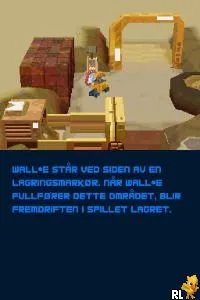
WALL-E (Europe) (En,Sv,No,Da)
WALL-E (Europe) (En,Sv,No,Da) Overview
WALL-E (Europe) (En,Sv,No,Da) is a platforming game released for the Nintendo DS, based on the popular Pixar film. The game was developed by Heavy Iron Studios and published by THQ, arriving in Europe around 2008. It captures the essence of the film while providing an interactive experience that fits the handheld platform well.
In this game, players take control of WALL-E, navigating through various levels filled with obstacles and challenges. The gameplay revolves around solving puzzles, engaging in light combat, and exploring beautifully designed environments inspired by the film. Players will need to utilize WALL-E's abilities to overcome obstacles, collect items, and interact with characters from the movie, making for a fun yet straightforward experience.
WALL-E is worth trying for fans of the film and those who enjoy platformers from this era. While it may not be the most complex title in the genre, it offers charming visuals and a nostalgic feel that resonates with players who appreciate licensed games. The game's simple mechanics and engaging level design make it a lighthearted option for casual gaming sessions, especially for younger players or those new to the genre.
How to Play WALL-E (Europe) (En,Sv,No,Da) Online
Getting started in WALL-E involves selecting your save file and choosing a level to play through. The core loop consists of navigating through levels, solving puzzles, and collecting items while avoiding enemies. Players should familiarize themselves with WALL-E's abilities, as utilizing them effectively is key to progressing through the game.
As you play, focus on exploring each environment thoroughly. There are various collectibles scattered throughout the levels that can enhance your experience. Pay attention to the unique mechanics that allow you to interact with the environment, as these will help you overcome challenges and advance the story.
WALL-E (Europe) (En,Sv,No,Da) Keyboard Controls
Controls
- Arrow Keys — D-Pad / Movement
- X — A button
- S — B button
- Z — Y button
- A — X button
- Q — L shoulder
- E — R shoulder
- Enter — Start
- V — Select






Comments (0)