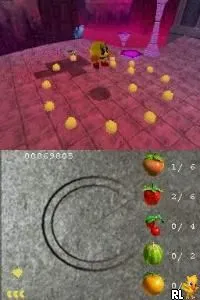
Pac-Man World 3 (USA)
What is Pac-Man World 3 (USA)?
Pac-Man World 3 is a platformer developed for the Nintendo DS and released in the USA. This game is part of the Pac-Man franchise, known for its iconic characters and maze navigation. It was published by Namco, which has a long history in the gaming industry, particularly with arcade classics and platforming titles.
In Pac-Man World 3, players control Pac-Man as he navigates through various levels filled with enemies, obstacles, and collectibles. The gameplay involves a mix of platforming challenges and puzzle-solving elements, where players must jump, run, and use power-ups to progress. The game incorporates a blend of 3D environments and classic 2D gameplay mechanics that were popular during the era of its release.
This title is worth exploring for fans of retro gaming, especially those who appreciate the evolution of platformers in the early 2000s. While it may not be as renowned as the original arcade game, it offers a nostalgic experience with its familiar characters and gameplay style. Compared to other Nintendo DS titles, it stands as a solid entry for those looking to relive the Pac-Man charm in a new format.
How to Play Pac-Man World 3 (USA) Online
Getting started in Pac-Man World 3 involves selecting your game mode from the main menu. Once in the game, players will guide Pac-Man through various themed worlds, each featuring distinct enemies and challenges. The core gameplay loop consists of navigating levels, collecting items, and defeating enemies using Pac-Man's unique abilities.
As players progress, they will encounter various power-ups that enhance Pac-Man's abilities, such as temporary invincibility or increased speed. It's important to explore each level thoroughly to find hidden areas and collectibles that can help in advancing through the game. Understanding the mechanics of jumping and running is crucial for overcoming obstacles and defeating enemies effectively.
Pac-Man World 3 (USA) Keyboard Controls
Controls
- Arrow Keys — D-Pad / Movement
- X — A button
- S — B button
- Z — Y button
- A — X button
- Q — L shoulder
- E — R shoulder
- Enter — Start
- V — Select






Comments (0)