Naruto - Saikyou Ninja Daikesshuu 3 for DS (Japan)
Inside Naruto - Saikyou Ninja Daikesshuu 3 for DS (Japan)
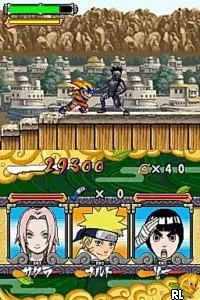
Naruto - Saikyou Ninja Daikesshuu 3 for DS is a fighting game released exclusively in Japan for the Nintendo DS. Developed by Tomy, this title is part of the Naruto video game series, which is based on the popular manga and anime franchise. As a fighting game, it fits within the genre conventions of the time, offering fast-paced action and character-based combat.
In this game, players engage in one-on-one battles using various characters from the Naruto universe. The mechanics revolve around a combination of special moves, combos, and character abilities, allowing for strategic gameplay. Players can choose their favorite ninja and utilize unique jutsu techniques, making each battle a showcase of skills and tactics.
What makes Naruto - Saikyou Ninja Daikesshuu 3 worth exploring today is its nostalgic value and connection to the Naruto franchise. While it may not be as polished or expansive as some other fighting games on the platform, it offers a fun experience for fans of the series. The graphics and gameplay reflect the era's style, and it provides a unique opportunity to engage with beloved characters in a competitive setting.
How to Play Naruto - Saikyou Ninja Daikesshuu 3 for DS (Japan) Online
To get started with Naruto - Saikyou Ninja Daikesshuu 3, select your character from the roster. The game primarily consists of battles against AI opponents or other players. Learning the unique abilities of each character is essential, as they can significantly influence the outcome of fights.
The core gameplay loop involves mastering combos and special moves to defeat opponents. Players should focus on timing and positioning, as dodging and countering are key elements in battles. Since the game is in Japanese, navigating menus may be challenging for non-Japanese speakers, but familiarizing yourself with the layout can help in understanding the options available.
Naruto - Saikyou Ninja Daikesshuu 3 for DS (Japan) Keyboard Controls
Controls
- Arrow Keys — D-Pad / Movement
- X — A button
- S — B button
- Z — Y button
- A — X button
- Q — L shoulder
- E — R shoulder
- Enter — Start
- V — Select
Comments (0)