Monsters vs Aliens (Germany)
Monsters vs Aliens (Germany): NDS Platformer
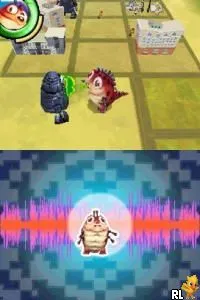
Monsters vs Aliens (Germany) is a platform game released for the Nintendo DS, based on the animated film of the same name. While specific development details are sparse, it is categorized within the action genre, typical of many licensed games from that era. This game showcases the charm and humor of the movie while adapting it to the portable gaming format of the DS.
Gameplay in Monsters vs Aliens involves players navigating various levels, utilizing the unique abilities of different characters. Each character has distinct skills that players must use strategically to overcome obstacles and defeat enemies. The game follows a linear progression through levels, with an emphasis on platforming mechanics common to many titles on the Nintendo DS, including jumping, running, and attacking.
For fans of retro gaming, Monsters vs Aliens offers a nostalgic experience that captures the essence of early 2000s licensed games. While it may not be as celebrated as other titles from its time, it serves as a fun diversion for those who appreciate platformers and the charm of animated adaptations. It’s worth trying for its simplicity and the fond memories it may evoke for players familiar with the film.
How to Play Monsters vs Aliens (Germany) Online
Getting started in Monsters vs Aliens involves choosing a character and jumping right into the action. Players will navigate through levels filled with enemies and obstacles, using the character's abilities to progress. The core loop revolves around platforming elements, where players must jump, run, and utilize special moves to defeat foes and solve environmental puzzles.
As you play, pay attention to the different abilities each character possesses. Mastering these skills is crucial for overcoming challenges and advancing through the game. The levels often require a mix of platforming and combat, so be prepared for a blend of action and strategy as you explore the game's environments.
Monsters vs Aliens (Germany) Keyboard Controls
Controls
- Arrow Keys — D-Pad / Movement
- X — A button
- S — B button
- Z — Y button
- A — X button
- Q — L shoulder
- E — R shoulder
- Enter — Start
- V — Select






Comments (0)