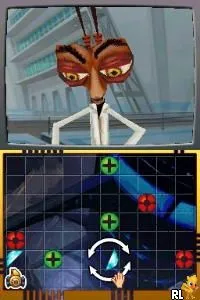
Monsters vs Aliens (Europe) (Es,It)
Inside Monsters vs Aliens (Europe) (Es,It)
Monsters vs Aliens (Europe) (Es,It) is a platform game for the Nintendo DS, released as part of a tie-in to the animated film of the same name. It was developed by a team at DreamWorks Animation and published by Activision, aiming to capture the whimsical essence of the movie. Released in Europe, this title is notable for its unique blend of action and adventure elements, typical of many licensed games from the era.
In this game, players take control of various monsters, each with their own abilities, as they navigate through a series of levels filled with enemies and obstacles. The gameplay revolves around platforming mechanics, where you jump, run, and use special abilities to overcome challenges. Players can switch between characters, utilizing their unique powers to solve puzzles and defeat foes, which adds a layer of strategy to the gameplay experience.
For those exploring the Nintendo DS library, Monsters vs Aliens offers a nostalgic trip for fans of the film and a solid platforming experience, albeit one that may feel simplistic compared to more complex titles of its time. While it may not be a standout game in the genre, it holds a special place for those who appreciate licensed adaptations and the charm of early 2000s gaming. Its cooperative gameplay elements can also make it a fun choice for casual gaming sessions with friends or family.
How to Play Monsters vs Aliens (Europe) (Es,It) Online
Getting started with Monsters vs Aliens involves selecting your character and diving into the first level. Players will find themselves navigating through various environments, encountering enemies and obstacles that require quick reflexes and strategic thinking. The core loop revolves around using different monsters to tackle challenges, each offering unique abilities that can be used to progress through levels.
Monsters vs Aliens (Europe) (Es,It) Keyboard Controls
Controls
- Arrow Keys — D-Pad / Movement
- X — A button
- S — B button
- Z — Y button
- A — X button
- Q — L shoulder
- E — R shoulder
- Enter — Start
- V — Select






Comments (0)