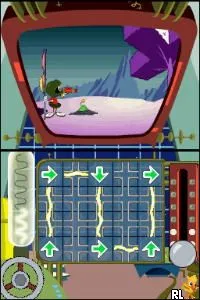
Looney Tunes - Duck Amuck (Italy)
Looney Tunes - Duck Amuck (Italy) - Platformer Classic
Looney Tunes - Duck Amuck is a platform game that was released for the Nintendo DS. While the exact release date and developer details are not widely documented, the game is known for featuring classic Looney Tunes characters. As a title in the platform genre, it invites players into a whimsical world filled with familiar animation styles and comedic scenarios.
In Duck Amuck, players navigate through various levels while leveraging the unique mechanics that revolve around classic cartoon antics. The gameplay often involves solving puzzles and overcoming obstacles using character abilities that reflect their personalities. You’ll find that gameplay can shift dramatically, keeping players on their toes as they interact with the environment in humorous ways.
This title holds a certain charm that resonates with fans of the Looney Tunes franchise and those who appreciate retro platformers. While it may not be as widely recognized as other titles of its era, it offers a lighthearted experience that can be enjoyable for casual gaming sessions. For players who appreciate the blend of nostalgia and creativity in platform games, Duck Amuck is worth a try today.
How to Play Looney Tunes - Duck Amuck (Italy) Online
Getting started in Looney Tunes - Duck Amuck involves selecting your desired game mode from the main menu. As you begin, you’ll find that the core gameplay focuses on navigating through levels while solving various puzzles. Each level presents its own challenges, so being adaptable and ready to experiment with the mechanics is key.
As you progress, pay attention to the unique traits of the characters you control. This game rewards creativity and exploration, so don't hesitate to try different approaches to solve problems or overcome obstacles. Familiarizing yourself with the controls will enhance your experience, making it easier to enjoy the whimsical challenges presented throughout the game.
Looney Tunes - Duck Amuck (Italy) Keyboard Controls
Controls
- Arrow Keys — D-Pad / Movement
- X — A button
- S — B button
- Z — Y button
- A — X button
- Q — L shoulder
- E — R shoulder
- Enter — Start
- V — Select






Comments (0)