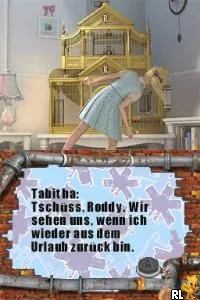
Flushed Away (Europe) (De,It)
Flushed Away (Europe) (De,It) - Platformer Classic
Flushed Away (Europe) (De,It) is a platformer game released for the Nintendo DS, based on the animated film of the same name. Developed by the studio behind the movie's adaptation, this title offers a unique spin on the classic platforming genre. The game was launched in Europe, catering specifically to German and Italian audiences with localized content.
In Flushed Away, players take on the role of Roddy, navigating through various levels filled with obstacles and enemies. The gameplay integrates traditional platforming mechanics, where players jump, run, and interact with the environment to progress through the stages. Players must collect items and avoid hazards, all while experiencing the vibrant graphics inspired by the film, making for a visually appealing adventure.
This title holds a special place in the library of DS games, especially for fans of the movie. While it may not be as widely known as other platformers of its time, its charm and connection to the beloved animated feature make it worth a try. The game fits well within the genre conventions of its era, providing straightforward gameplay that can be enjoyed by players of all ages, although it may not offer the depth found in more prominent platforming titles.
How to Play Flushed Away (Europe) (De,It) Online
To get started in Flushed Away, select your game mode from the main menu. You will control Roddy as he embarks on his adventure through various levels. Movement is straightforward, utilizing the D-Pad for navigation and the action buttons for jumping and interacting with the environment.
The core loop involves traversing through levels, defeating enemies, and collecting items that enhance your gameplay experience. Pay attention to your surroundings, as certain paths may lead to hidden areas or additional rewards. Mastering the controls will significantly aid in overcoming the challenges that await in each level.
Flushed Away (Europe) (De,It) Keyboard Controls
Controls
- Arrow Keys — D-Pad / Movement
- X — A button
- S — B button
- Z — Y button
- A — X button
- Q — L shoulder
- E — R shoulder
- Enter — Start
- V — Select






Comments (0)