Doom 64 (USA) (Rev A)
About Doom 64 (USA) (Rev A)
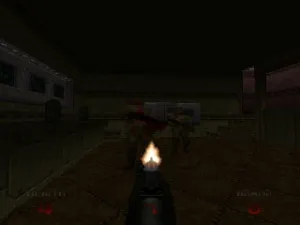
Doom 64 (USA) (Rev A) is a first-person shooter developed by Midway Games and released for the Nintendo 64. This revision of the original Doom 64 was made available in the United States, expanding upon the classic Doom formula with new levels and improved graphics. As a part of the iconic Doom franchise, it stands as a notable entry in the genre of action shooters on the N64 platform.
In Doom 64, players navigate through a series of 3D levels filled with various enemies and obstacles. The game retains the fast-paced, action-oriented gameplay of its predecessors, focusing on exploration, combat, and resource management. Players utilize a variety of weapons to defeat demons while solving puzzles and uncovering secrets hidden throughout the game's environments.
What makes Doom 64 worth revisiting today is its unique atmosphere and design, which differ from other titles in the series. The game offers a darker and more atmospheric experience, setting it apart from the original Doom games. For fans of retro shooters, Doom 64 remains a compelling title, showcasing the evolution of the franchise while still feeling fresh and engaging compared to other action games of its time.
How to Play Doom 64 (USA) (Rev A) Online
Getting started in Doom 64 involves familiarizing yourself with the controls and the game’s mechanics. Begin by selecting a difficulty level and diving into the first level, where you'll encounter various enemies. The core loop revolves around navigating through levels, defeating foes, collecting weapons and health items, and solving environmental puzzles to progress.
As you play, keep an eye out for hidden areas and power-ups that can enhance your abilities. The game thrives on exploration, so take your time to uncover secrets and enjoy the atmosphere. Mastering the different weapons and understanding enemy patterns will be crucial for survival as you advance through increasingly challenging levels.
Doom 64 (USA) (Rev A) Keyboard Controls
Controls
- Arrow Keys — D-Pad / Movement
- X — A button
- S — B button
- Z — Z trigger
- A — C-Down
- Q — L shoulder
- E — R shoulder
- Enter — Start
Comments (0)