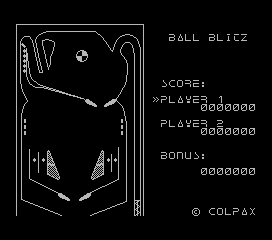
The game loads when you press Play · press “Play Now” inside the game if it asks.
Pinball Maker
Pinball Maker
Getting to Know Pinball Maker
- MSX 1
- Simulation
- 5· 0 votes
Pinball Maker on the MSX 1 is exactly what the name suggests: a tool that lets you design and play your own pinball tables. Released sometime in the mid-80s for the MSX home computer platform, it taps into the era's fascination with user-generated content. The exact publisher and developer are not widely documented, but the game fits neatly into the utility-adjacent category that was common on MSX - where creativity software sat alongside arcade ports.
At its core, Pinball Maker provides a basic editor where you place bumpers, flippers, targets, and other classic pinball elements onto a blank table. After building your layout, you can test it out and tweak the physics or scoring. There's no story or characters here; the whole experience revolves around designing a satisfying mechanical game and then playing it. The MSX's keyboard and joystick controls handle both the construction and the simulated ball physics.
What makes Pinball Maker worth revisiting is its raw, hands-on approach to game design. Unlike later pinball simulation games that offer pre-built tables, this one invites you to experiment with table layout and ball flow. It's a niche title, even among MSX enthusiasts, but that DIY spirit is exactly what draws people to the platform today. If you enjoy tinkering with mechanics or are curious about early user-generated content, this is a neat piece of computing history.
GAME INFO
- Platform
- MSX 1
- Genre
- Simulation
How to play Pinball Maker online
When you first start Pinball Maker, you'll be greeted by a menu screen. The options are typically in Japanese, but the layout is straightforward: usually one option to edit a table, one to load, and one to play. If you understand no Japanese, trial and error works - the menu structure is simple. Select the editor first to start designing your own table.
In the editor, you'll place elements like bumpers, flippers, and rails using the D-pad and confirm button. The interface is minimalist: you might see a grid or free-form area. Place each component one by one, then switch to test mode to see how the ball behaves. The core loop is design, test, adjust. There's no external manual, so experiment with placements to learn how each part interacts with the ball.
Once your table is ready, switch to play mode. Flippers are controlled by pressing the action buttons (likely X and S). The ball launches from a plunger - hold down the button to set power, then release. Scoring is automatic based on targets hit. If the game feels too hard or easy, go back to the editor and tweak the layout. That freedom is the whole point of Pinball Maker.
CONTROLS
Controls
- Arrow Keys: D-Pad / Movement
- X: Trigger 1
- S: Trigger 2
- Enter: Start
Pinball Maker FAQ
Who developed Pinball Maker?
The developer of Pinball Maker is not widely documented in available sources. It appears to be an obscure MSX title, and no specific studio or individual has been consistently credited.
Does Pinball Maker have a multiplayer or co-op mode?
No multiplayer or co-op mode is documented for Pinball Maker. The game is designed entirely for a single player to create and then play their own pinball tables.
In what year was Pinball Maker originally released?
The original release year for Pinball Maker is not clearly recorded in common databases. Most references place it somewhere in the mid-1980s, but an exact year cannot be confirmed.
You may also like
All MSX 1 games











GAME INFO
- Platform
- MSX 1
- Genre
- Simulation
COMMENTS (0)
No comments yet. Be the first to share your thoughts.